| Widescreen Gaming Forum https://www.wsgf.org/phpBB3/ |
|
| PLP via SoftTH on a 5870 https://www.wsgf.org/phpBB3/viewtopic.php?f=66&t=18313 |
Page 1 of 2 |
| Author: | l88bastard [ 06 Nov 2009, 05:14 ] |
| Post subject: | PLP via SoftTH on a 5870 |
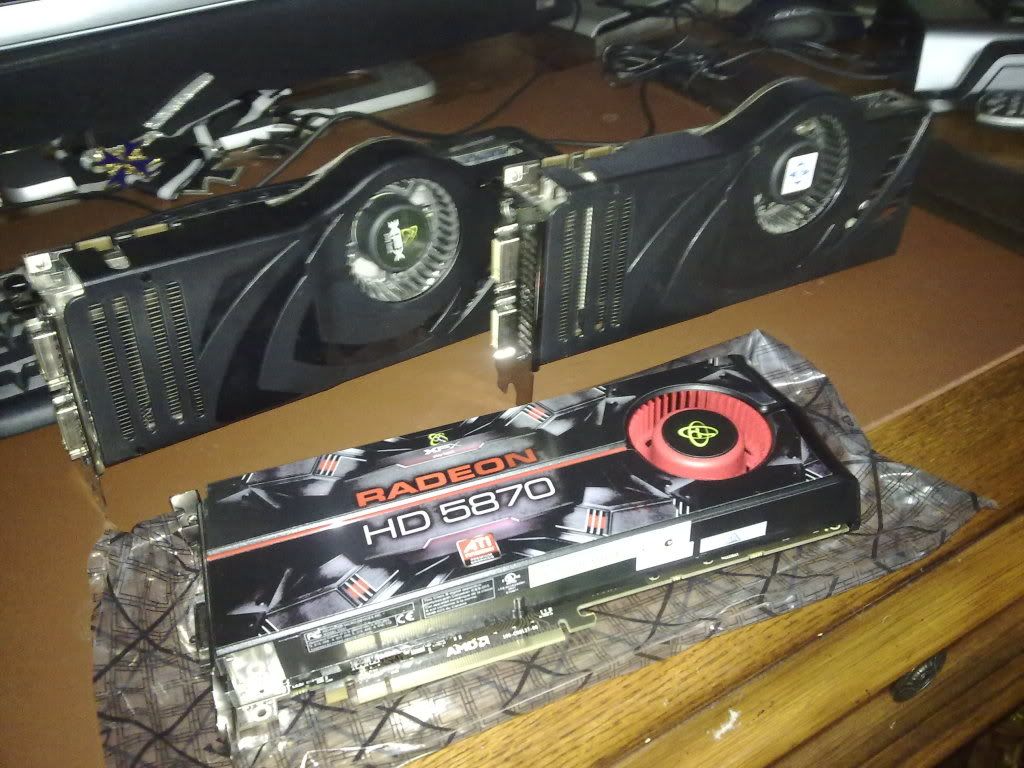
Ok, I just got the 5870 today and I love it. Here is a sexy screen shot of it posing in the nude with my old 8800 ultras.
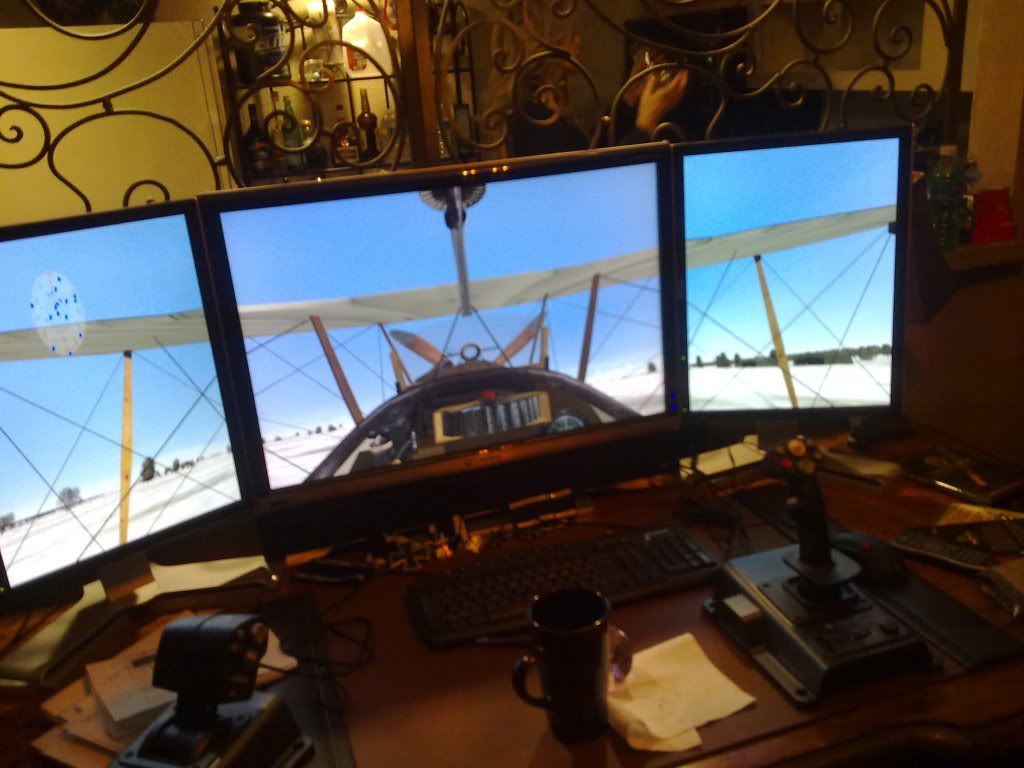
And after installing it and playing with it for a while, I have packed up the ultras and put em on ebay. Apparently I am an ATI man now, and I am getting almost double the FPS in my favorite game, "Over Flanders Fields," at 2560x1600... went from 5-15fps to 25-40fps with all of the eye candy turned up! Unfortunately, I have a problem. Since Eyefinity does not support my PLP 20x30x20 =4960x1600 setup, I figured that I would just use SoftTH and enjoy the power of the 5870 with my setup. I had no problem gettin SoftTH to work with my 8800 ultras, however, it does not work with my 5870. I even went out and bought a crappy 4670 to use as a second card but I get the same exact result with the second card as I do when I just push out all three displays from the 5870! It will not let me set my resolution in the CFS3Config file and hard locks my computer when I try and fly a mission. Has anybody been able to make a 5870 work with SoftTH. I am desperate to get my tripple screens back. Please dont make me down grade my 30" resolution and turn my 20"s at the crappy landscape angle because that is just a crime! Or better yet and Im begging on my knees, please make eyefinity support continuous resolutions like 4960x1600!!! Pretty please with cherries on top! I have over two grand in monitors sitting on my desk going to waste! |
|
| Author: | Gilly [ 06 Nov 2009, 12:08 ] |
| Post subject: | PLP via SoftTH on a 5870 |
as for softth i dont know. but eyefinity is not meant to work like that... for the moment at least. i wouldnt hold your breath anyway, i dont think its exactly the easiest thing to impliment, without having them impliment their own softth system for the card. |
|
| Author: | l88bastard [ 06 Nov 2009, 14:17 ] |
| Post subject: | PLP via SoftTH on a 5870 |
Hmm, how do you enable and disable eyefinity in the control panel? Maybe I have something setup in the control panel that is conflicting with my SoftTH program? Im a noob with ATI as I have been using Nvidia for the last five years! Thanks! |
|
| Author: | Ed Blown Vert [ 06 Nov 2009, 16:36 ] |
| Post subject: | PLP via SoftTH on a 5870 |
Create a group by right-clicking on the monitors in CCC. |
|
| Author: | l88bastard [ 06 Nov 2009, 23:18 ] |
| Post subject: | PLP via SoftTH on a 5870 |
Create a group by right-clicking on the monitors in CCC. Ok after playing around with that for an hour, I am pretty competent on it. Unfortunately, I cant do eyefinity unless I want to gimp my 30" resolution and landscape my 20's. It looks stupid and does not run right anyway so I disable the group and went back to an extended desktop. Man, all I want to do is play OFF on my three screen setup. Is that too much to ask for! |
|
| Author: | Mach1.9pants [ 06 Nov 2009, 23:49 ] |
| Post subject: | PLP via SoftTH on a 5870 |
d'oh misunderstood question and didn't read entire thread |
|
| Author: | suiken_2mieu [ 06 Nov 2009, 23:53 ] |
| Post subject: | PLP via SoftTH on a 5870 |
I heard that windows dosn't like using more than one driver at a time, so it's like you'll want another 5700 or 5800 series card to SoftTH with. |
|
| Author: | l88bastard [ 07 Nov 2009, 01:05 ] |
| Post subject: | PLP via SoftTH on a 5870 |
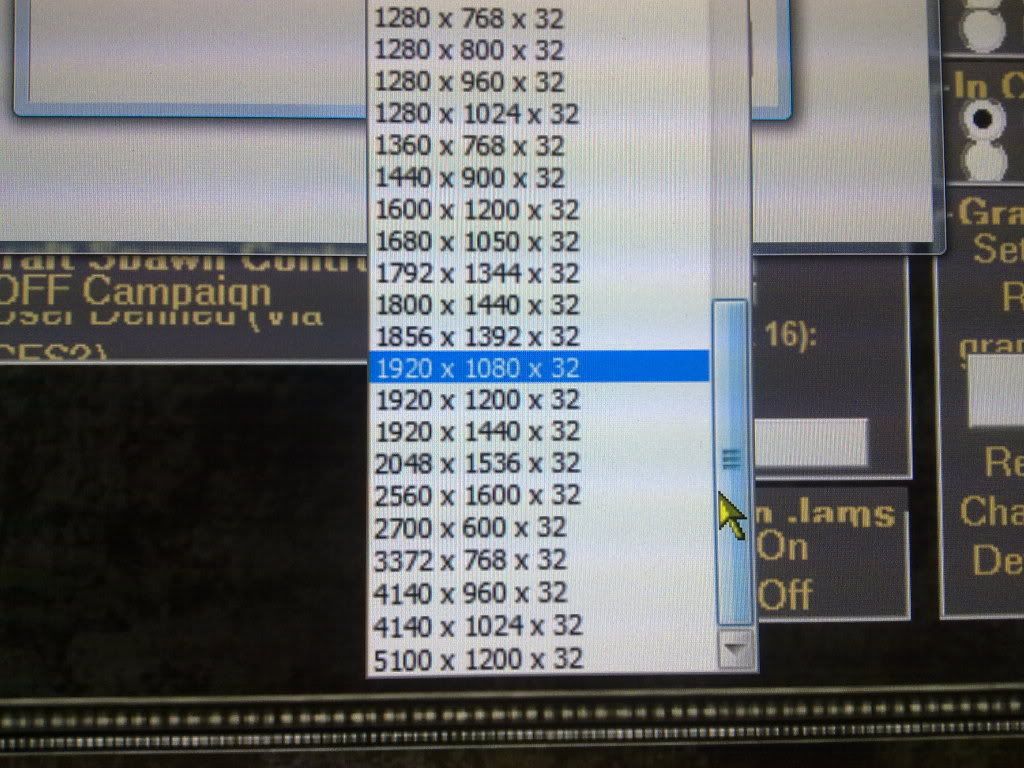
Well I am able to use SoftTH 7 with just the one 5870 card, using two dvi out monitors and one display port adapter to dvi out monitor! However, I have found that the 1.7 version works but not too well (versions 1.9 & 1.8 dont work at all). For some reason it only recognizes my 2560x1600 monitor as being 1600x1200 and it forces my 1200x1600 monitors to a 1200x1200 resolution. Instead of giving me 4960x1600 + 300 for borders = 5260x1600 resolution option it only allows me these choices:
And here is how crappy the 5100x1200 option looks... its all distorted Sad
Here is my config file ; SoftTH configuration file ; by Kegetys ; [config] ; deviceIDLeft/right: Direct3D device ID's of left and right monitor, or 'auto' for automatic ; secondaryWidth/Height: Left & right monitor resolution, or 'auto' to use same as middle screen resolution ; secondaryRefresh: Refresh rate of left & right monitors, or 'auto' for automatic ; secondaryFormat: Secondary device image format, 'RGB32', 'RGB16' or 'YUV12'. ; antialiasing: Level of forced anti-aliasing ; anisotropic: Level of forced anisotropic filtering ; borderSize: Size in pixels of frame border between monitors that is discarded ; noHotkeys: Set to 1 to disable all hotkeys deviceIDLeft=auto deviceIDright=auto secondaryWidth=1200 secondaryHeight=1600 secondaryRefresh=60 secondaryFormat=RGB32 antialiasing=0 anisotropic=0 borderSize=150 sideExtraWidth=0 noHotkeys=0 [Direct3D] ; ** Advanced setting for Direct3D games ** ; cylindicalCorretionAngle: Amount of cylindrical correction done, use with sideExtraWidth ; hideNondefaultDevices: Hides all but the default adapter from the game ; forceHorizontalFOV: Forces horizontal FOV to be three times as wide ; forceResolutionWidth/Height: Forces device to be created with this resolution ; force16bitDepth: Force game to use 16bit depth buffer, can improve performance and reduce memory use ; sleepBeforeRead: Time in ms to sleep before reading back buffer data from video card ; useMultihead: Uses multihead features of primary card if available, can increase performance and reduce memory use ; Set to 2 to force multihead initialization even if game doesn't create device with TH resolution ; delayedPresent: When useMultihead enabled, delay primary monitor present to sync with secondary head ; swapOrder: Swap order at which the frame contents are copied ; autoSquash: Automatically squash output to middle monitor if only pretransformed (GUI) elements are drawn ; d3d8dll: Path to D3D8.dll/D3D9.dll to use or auto for automatic (system32 dir) cylindicalCorretionAngle=0 hideNondefaultDevices=0 forceHorizontalFOV=0 forceResolutionWidth=0 forceResolutionHeight=0 force16bitDepth=0 sleepBeforeRead=2 useMultihead=1 delayedPresent=0 swapOrder=0 autoSquash=0 d3d8dll=auto [hooks] ; Win32 API hooking settings - Used for some extra compatibility and game-specific fixes ; doHooking: Enable/disable hooks in Direct3D, with OpenGL hooks are always enabled ; doScaleMouseCoordinates: Scale mouse coordinates for getCursorPos to fix games which do not handle negative screen coordinates properly ; doScaleFromLeftScreen: Spread out mouse coordinates from left screen to full width ; doScaleWindowRects: Scale game window rectangle to triplehead size ; mouseXoffset: Number of pixels to offset mouse cursor position in X axis, to fix misplaced cursor due to negative screen coordinates. auto = use X resolution doHooking=1 doScaleMouseCoordinates=0 doScaleFromLeftScreen=0 doScaleWindowRects=0 mouseXoffset=auto ; Triplehead screenmodes to add to resolutions list (width multiplied by 3 and border added) ; Must be last in this file [modes] 640x480x60 640x480x75 640x480x85 800x600x60 800x600x75 800x600x85 1024x768x60 1024x768x75 1024x768x85 1280x960x60 1280x960x75 1280x960x85 1280x1024x60 1280x1024x75 1280x1024x85 1600x1200x60 1600x1200x75 1600x1200x85 |
|
| Author: | AussieTimmeh [ 07 Nov 2009, 02:04 ] |
| Post subject: | PLP via SoftTH on a 5870 |
Crikey mate! Maybe you need another 2 monitors like your centre one for the outsides! Start a business selling DP-to-DVI adapters to unpriveleged people overseas to pay for it. :wink: Wish I could help but I've never played with a setup like that! |
|
| Author: | l88bastard [ 07 Nov 2009, 03:52 ] |
| Post subject: | PLP via SoftTH on a 5870 |
I got it working. Basically I had to stick with beta 1.7 and had to add the 2560x1600 resolution at the bottom of the list and then put auto after it. Then I had to subtract the difference of 2560-1200 and make that negative adjustment so sideExtraWidth=-1360. Then I told it to half the display of the side monitors to 600x800, which surprisingly gives a decent quality while keeping the main at 2560x1600. With these settings I'm able to run OFF at 5,4,4,4,4 and get 35fps on average for 4960x1600 running on a single 5870! Mind you this is off of one single 5870, there is no other card for the other display outs, which you would typically need for running SoftTH! Just make sure you have your middle monitor set as monitor 1. This is what my softTH config looks like for anybody that ever has the same situation. ; ; SoftTH configuration file ; by Kegetys ; [config] ; deviceIDLeft/right: Direct3D device ID's of left and right monitor, or 'auto' for automatic ; secondaryWidth/Height: Left & right monitor resolution, or 'auto' to use same as middle screen resolution ; secondaryRefresh: Refresh rate of left & right monitors, or 'auto' for automatic ; secondaryFormat: Secondary device image format, 'RGB32', 'RGB16' or 'YUV12'. ; antialiasing: Level of forced anti-aliasing ; anisotropic: Level of forced anisotropic filtering ; borderSize: Size in pixels of frame border between monitors that is discarded ; noHotkeys: Set to 1 to disable all hotkeys deviceIDLeft=auto deviceIDright=auto secondaryWidth=600 secondaryHeight=800 secondaryRefresh=auto secondaryFormat=rgb32 antialiasing=0 anisotropic=0 borderSize=150 sideExtraWidth=-1360 noHotkeys=0 [Direct3D] ; ** Advanced setting for Direct3D games ** ; cylindicalCorretionAngle: Amount of cylindrical correction done, use with sideExtraWidth ; hideNondefaultDevices: Hides all but the default adapter from the game ; forceHorizontalFOV: Forces horizontal FOV to be three times as wide ; forceResolutionWidth/Height: Forces device to be created with this resolution ; force16bitDepth: Force game to use 16bit depth buffer, can improve performance and reduce memory use ; sleepBeforeRead: Time in ms to sleep before reading back buffer data from video card ; useMultihead: Uses multihead features of primary card if available, can increase performance and reduce memory use ; Set to 2 to force multihead initialization even if game doesn't create device with TH resolution ; delayedPresent: When useMultihead enabled, delay primary monitor present to sync with secondary head ; swapOrder: Swap order at which the frame contents are copied ; autoSquash: Automatically squash output to middle monitor if only pretransformed (GUI) elements are drawn ; d3d8dll: Path to D3D8.dll/D3D9.dll to use or auto for automatic (system32 dir) cylindicalCorretionAngle=0 hideNondefaultDevices=0 forceHorizontalFOV=0 forceResolutionWidth=0 forceResolutionHeight=0 force16bitDepth=0 sleepBeforeRead=2 useMultihead=1 delayedPresent=0 swapOrder=0 autoSquash=0 d3d8dll=auto [hooks] ; Win32 API hooking settings - Used for some extra compatibility and game-specific fixes ; doHooking: Enable/disable hooks in Direct3D, with OpenGL hooks are always enabled ; doScaleMouseCoordinates: Scale mouse coordinates for getCursorPos to fix games which do not handle negative screen coordinates properly ; doScaleFromLeftScreen: Spread out mouse coordinates from left screen to full width ; doScaleWindowRects: Scale game window rectangle to triplehead size ; mouseXoffset: Number of pixels to offset mouse cursor position in X axis, to fix misplaced cursor due to negative screen coordinates. auto = use X resolution doHooking=1 doScaleMouseCoordinates=0 doScaleFromLeftScreen=0 doScaleWindowRects=0 mouseXoffset=auto ; Triplehead screenmodes to add to resolutions list (width multiplied by 3 and border added) ; Must be last in this file [modes] 640x480x60 640x480x75 640x480x85 800x600x60 800x600x75 800x600x85 1024x768x60 1024x768x75 1024x768x85 1200x1600x60 1280x960x60 1280x960x75 1280x960x85 1280x1024x60 1280x1024x75 1280x1024x85 1600x1200x60 1600x1200x75 1600x1200x85 2560x1600x60 auto |
|
| Page 1 of 2 | All times are UTC [ DST ] |
| Powered by phpBB® Forum Software © phpBB Group https://www.phpbb.com/ |
|