Widescreen Gaming Forum

[-noun] Web community dedicated to ensuring PC games run properly on your tablet, netbook, personal computer, HDTV and multi-monitor gaming rig.
It is currently 12 Jul 2026, 12:50

All times are UTC [ DST ]


Post new topic Reply to topic  [ 32 posts ]  Go to page Previous  1 ... 11, 12, 13, 14, 15, 16, 17 ... 32  Next
Author Message
PostPosted: 23 Aug 2015, 15:32 
Offline

Joined: 23 Aug 2015, 15:26
Posts: 1
Your fix breaks the online features of the steam release.
Any plans to fix it?


Top
 Profile  
Reply with quote  
PostPosted: 23 Aug 2015, 20:01 
Offline
Insiders
Insiders
User avatar

Joined: 19 Dec 2011, 16:03
Posts: 521
InuFaye wrote:
Your fix breaks the online features of the steam release.
Any plans to fix it?

No. Executable file from steam version is packed and not available for modification.


Top
 Profile  
Reply with quote  
PostPosted: 24 Aug 2015, 09:25 
Offline
Insiders
Insiders
User avatar

Joined: 19 Dec 2011, 16:03
Posts: 521
MoonG wrote:
Hi this fix seems to works for me using 3840x1080 resolution.

is there a way to mod the game to allow splitscreen with one monitor per player?

Here's fix:
Attachment:
SplitScreen_3840x1080.7z [4.44 MiB]
Downloaded 824 times


Attachments:
rev2_Split_Screen.jpg
rev2_Split_Screen.jpg [ 791.59 KiB | Viewed 10244 times ]


Last edited by jackfuste on 20 Sep 2015, 09:56, edited 1 time in total.
Top
 Profile  
Reply with quote  
PostPosted: 20 Sep 2015, 01:37 
Offline

Joined: 20 Sep 2015, 01:32
Posts: 1
Thanks for the 21:9 fix, jackfuste! However, now my game is all in Russian, even after changing the language to English in the .ini file. Any suggestions?


Top
 Profile  
Reply with quote  
PostPosted: 20 Sep 2015, 10:11 
Offline
Insiders
Insiders
User avatar

Joined: 19 Dec 2011, 16:03
Posts: 521
heavyliquid wrote:
Thanks for the 21:9 fix, jackfuste! However, now my game is all in Russian, even after changing the language to English in the .ini file. Any suggestions?

Change line in 3DMGAME.ini
Language=russian
to
Language=english

Other languages:
Spoiler:
Language=russian
Language=english
Language=french
Language=italian
Language=german
Language=spanish
Language=japanese
Language=koreana
Language=polish
Language=brazilian
Language=tchinese


Delete folder named 3DMGAME. After that, run game and you see language choice.
Attachment:
language.jpg
language.jpg [ 84.94 KiB | Viewed 9966 times ]


Or you can change the language in the game menu:
Attachment:
1.jpg
1.jpg [ 290.26 KiB | Viewed 9981 times ]

Attachment:
2.jpg
2.jpg [ 293.19 KiB | Viewed 9997 times ]

Attachment:
3.jpg
3.jpg [ 302 KiB | Viewed 9994 times ]


Top
 Profile  
Reply with quote  
PostPosted: 08 Oct 2015, 18:53 
Offline

Joined: 08 Oct 2015, 18:43
Posts: 3
jackfuste wrote:
MoonG wrote:
Hi this fix seems to works for me using 3840x1080 resolution.

is there a way to mod the game to allow splitscreen with one monitor per player?

I found a solution, however, it requires still some fixes for the interface.


OMG! Thank you for the fix!!
Actually, been using it for a while. One issue. Things seem to be offset to the left. Wouldn't be an issue if the aiming crosshair wasn't also offset to left. So, for selecting a menu item and also to shoot a zombie, I have to aim the mouse a good amount to the left.

I'm using a Dell U3415W.

If I have to live with that then no biggy.


Thanks,
Harv


Top
 Profile  
Reply with quote  
PostPosted: 11 Oct 2015, 12:18 
Offline
Insiders
Insiders
User avatar

Joined: 19 Dec 2011, 16:03
Posts: 521
tps07 wrote:
OMG! Thank you for the fix!!
Actually, been using it for a while. One issue. Things seem to be offset to the left. Wouldn't be an issue if the aiming crosshair wasn't also offset to left. So, for selecting a menu item and also to shoot a zombie, I have to aim the mouse a good amount to the left.

I'm using a Dell U3415W.

If I have to live with that then no biggy.
Thanks,
Harv

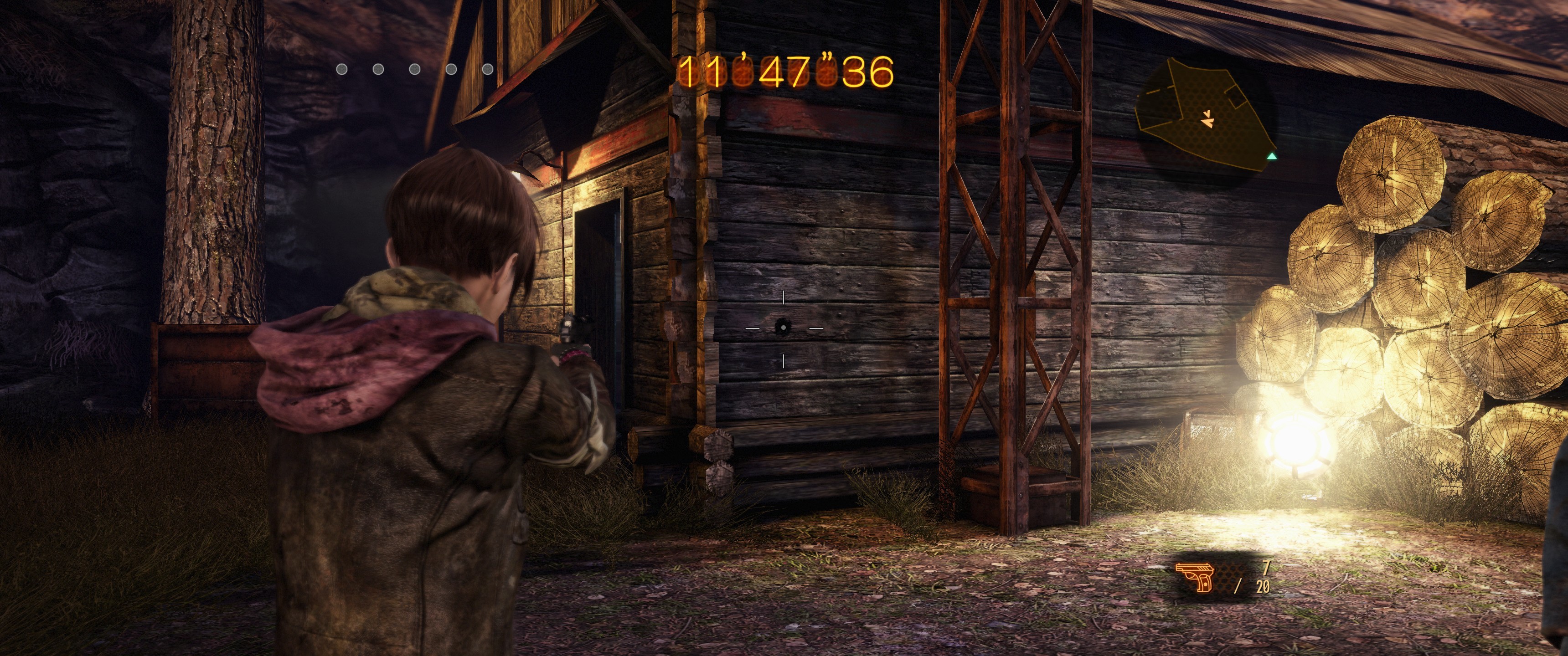
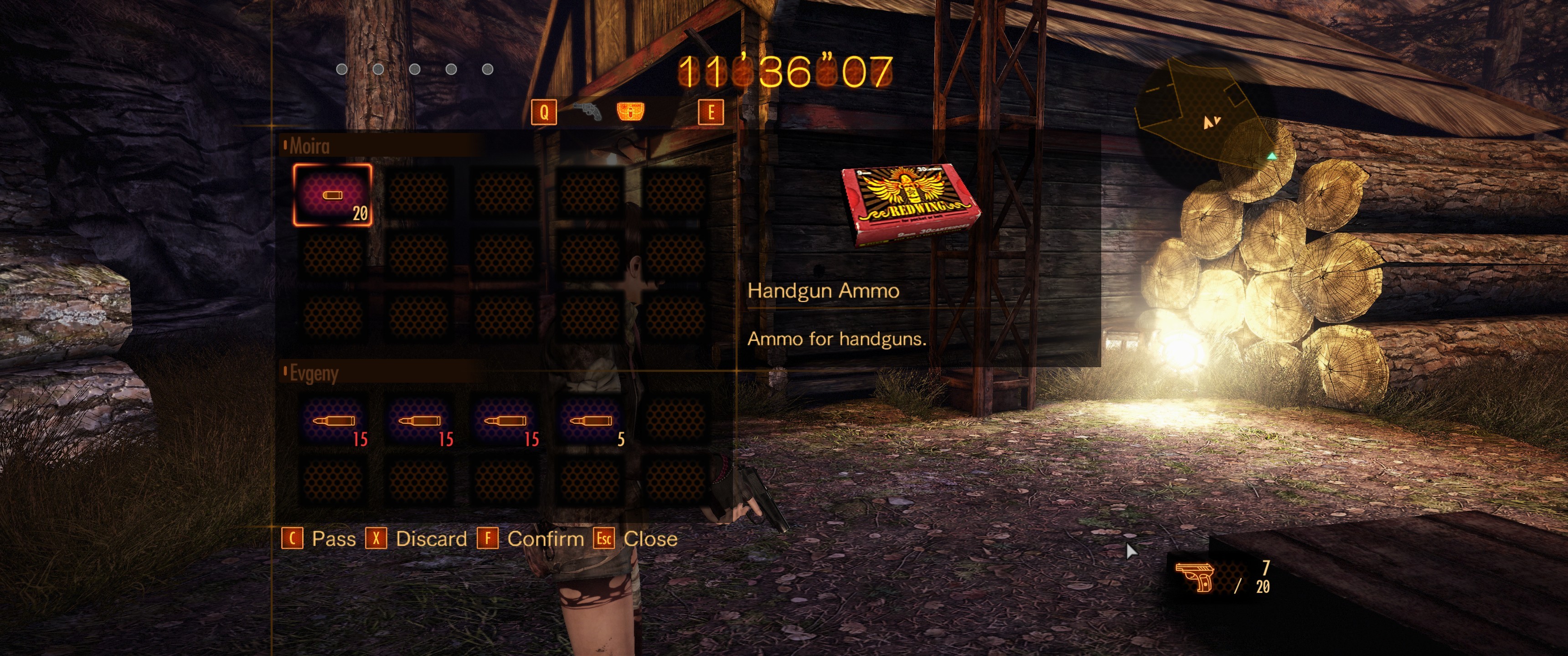
I looked up your screenshots.
I have only one idea why this is happening.
You have installed a fix for split screen 3840x1080 (dual-monitor 1920x1080). It is not suitable for a single monitor.

You must install this fix - http://www.wsgf.org/forums/viewtopic.php?f=64&t=28008&p=160359#p160359
With it HUD should be centered:
Image

Image


Top
 Profile  
Reply with quote  
PostPosted: 13 Oct 2015, 22:39 
Offline

Joined: 08 Oct 2015, 18:43
Posts: 3
Thank you. That did it. Must have accidentally clicked on the other file.

As mentioned before, you do lose the online stuff. With the other file I used I still had it. No way to get the best of both worlds? :)

Thanks for making by beloved RE games work on my 21:9 monitor!


Top
 Profile  
Reply with quote  
PostPosted: 19 Oct 2015, 19:31 
Offline

Joined: 31 Jul 2004, 10:02
Posts: 13
I tried downloading the .exe yesterday and it didn't work. Has the file been removed?
NEVERMIND: I just tried it again and it works! Thanks so much!!


Top
 Profile  
Reply with quote  
PostPosted: 26 Oct 2015, 12:50 
Offline
Insiders
Insiders
User avatar

Joined: 11 Dec 2008, 23:51
Posts: 685
Location: Germany
New Solution for 21:9:

What you need to do: Go to -> C:\Users\......\AppData\Local\CAPCOM\RESIDENT EVIL REVELATIONS2\config.ini

Look for Aspect=16:9 - change it to Aspect=default

_________________
CZARMAN aka 彼得爸爸


Top
 Profile  
Reply with quote  
PostPosted: 26 May 2016, 22:44 
Offline
Insiders
Insiders
User avatar

Joined: 21 May 2011, 14:18
Posts: 1232
jackfuste wrote:
21:9 and Eyefinity/Surround fixes:
Attachment:
RE_REV2.7z


A little bit late to the party, but Jackfuste can you please explain what you did in the exe file? I know you made an hex edit (obviously) but do you remember what you changed?

Thanks you in advance;)

_________________
WideScreen Fixer... Fixes your Surround problems to give a gorgeous 3D Surround Experience!
WideScreen Fixer

Only website to show TRUE 3D Vision Surround Gaming Videos(viewable by anyone) only at
3D Vision Surround Gallery

E-mail and Paypal (for people who wants it): [email protected]


Top
 Profile  
Reply with quote  
PostPosted: 16 Jun 2016, 04:28 
Offline

Joined: 16 Jun 2016, 04:20
Posts: 1
I have 2 issues ,
First : I can't play online when I active the Fixer
Secondly : Spiltscreen are too bad in the both of the default and the Fixer

jackfuste wrote:
MoonG wrote:
Hi this fix seems to works for me using 3840x1080 resolution.

is there a way to mod the game to allow splitscreen with one monitor per player?

Here's fix:
Attachment:
SplitScreen_3840x1080.7z


so please Mr.Jackfuste If you can give me a spiltscreen fixer for 2560x1080 monitor ?

And Thank you all


Top
 Profile  
Reply with quote  
PostPosted: 11 Jul 2016, 17:16 
Offline
User avatar

Joined: 12 Nov 2014, 20:30
Posts: 45
I want to play online with a friend of mine.
Is there ANY WAY we can have a fix that works with online??
Thanks.


Top
 Profile  
Reply with quote  
PostPosted: 13 Jul 2016, 22:44 
Offline

Joined: 13 Jul 2016, 22:43
Posts: 1
So I was able to just change the .ini to =default and it sets it to 21:9 but my crosshair is way off and is right on top of my gun and nowhere near the middle of screen. Any idea how to fix that?


Top
 Profile  
Reply with quote  
PostPosted: 23 Aug 2016, 10:16 
Offline

Joined: 23 Aug 2016, 10:11
Posts: 1
:D First post!

Tx for the fix, it works, I just wanna ask if there is no other way to go surround with this game other than use this modified .exe wich is, you know, basically a crack...it troubles me that I cannot use my steam account with this game.


Top
 Profile  
Reply with quote  
PostPosted: 12 Jan 2017, 21:52 
Offline

Joined: 08 Oct 2015, 18:43
Posts: 3
Anyone figure out how to correct the crosshair when in 21:9? The crosshair is off to the left of where it should be.
Thanks.


Top
 Profile  
Reply with quote  
PostPosted: 01 Feb 2017, 04:43 
Ya and the blood splatter with cutscene on screen is a bit off too.


Top
  
Reply with quote  
PostPosted: 03 Mar 2018, 05:22 
Offline

Joined: 31 Jul 2004, 10:02
Posts: 13
Although the crosshair is off center you can go into settings and change it from a crosshair to a laser pointer, which seems to work perfectly for some reason. Only Natalia's pointer dot is slightly off center now but it doesn't really matter because she's just pointing out objects in the environment.


Top
 Profile  
Reply with quote  
PostPosted: 02 Dec 2018, 04:19 
Offline

Joined: 02 Dec 2018, 04:15
Posts: 1
jackfuste wrote:
MoonG wrote:
Hi this fix seems to works for me using 3840x1080 resolution.

is there a way to mod the game to allow splitscreen with one monitor per player?

Here's fix:
Attachment:
SplitScreen_3840x1080.7z


how the hell did you manage to do this, I'm trying to do this on my 2560x1080p monitor with no success

so please could you provide instructions on how you did this or help create one binary that would work with 2560x1080p monitor resolutions?

I would be very thankful


Top
 Profile  
Reply with quote  
Display posts from previous:  Sort by  
Post new topic Reply to topic  [ 32 posts ]  Go to page Previous  1 ... 11, 12, 13, 14, 15, 16, 17 ... 32  Next

All times are UTC [ DST ]


Who is online

Users browsing this forum: No registered users and 27 guests


You cannot post new topics in this forum
You cannot reply to topics in this forum
You cannot edit your posts in this forum
You cannot delete your posts in this forum
You cannot post attachments in this forum

Search for:
Jump to:  
cron


Powered by phpBB® Forum Software © phpBB Group