| Widescreen Gaming Forum https://www.wsgf.org/phpBB3/ |
|
| One Piece: Pirate Warriors 3 https://www.wsgf.org/phpBB3/viewtopic.php?f=61&t=31997 |
Page 1 of 1 |
| Author: | czarman [ 15 Mar 2017, 13:06 ] |
| Post subject: | One Piece: Pirate Warriors 3 |
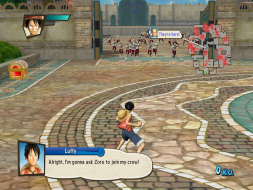
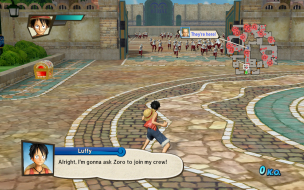
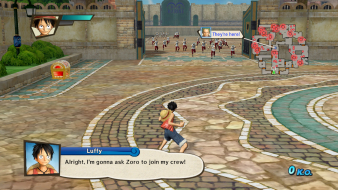
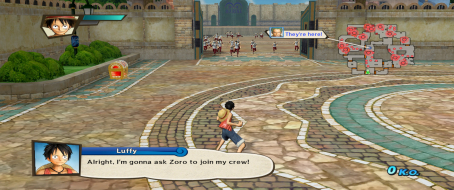
![]() Widescreen Grade: B Ultra-Widescreen Grade: C Multi-monitor Grade: C 4k Grade: C Read Full Detailed Report - One Piece: Pirate Warriors 3 One Piece: Pirate Warriors 3 is an action video game, developed by Omega Force, marketed by Bandai Namco Entertainment for the PlayStation 3, PlayStation 4, PlayStation Vita, and Microsoft Windows. ![]() 4:3 ![]() 16:10 ![]() 16:9 ![]() 21:9 ![]() 3x1 |
|
| Author: | czarman [ 15 Mar 2017, 13:08 ] |
| Post subject: | Re: One Piece: Pirate Warriors 3 |
I belive all other Games from Koei Tecmo Media like Attack on Titan or BERSERK and the Band of the Hawk can be fixed the same way via CheatEngine. |
|
| Author: | yhoo234 [ 08 Jun 2017, 12:56 ] |
| Post subject: | Re: One Piece: Pirate Warriors 3 |
czarman wrote: I belive all other Games from Koei Tecmo Media like Attack on Titan or BERSERK and the Band of the Hawk can be fixed the same way via CheatEngine. thanks to you I cant enjoy One piece Pirate Warriors 3 21:9 ratio and resolution. I am really thank you so much for your effort. Can I know how to find Aspect Ratio value and modify this. Please help me.... thank you.. |
|
| Author: | Stamora [ 25 Feb 2018, 09:34 ] |
| Post subject: | Re: One Piece: Pirate Warriors 3 |
I can't get this to work. The aspect ratio is completely fucked, so that when I put the file in the cheat engine, then set it to F3's settings (21:9), that it just stretches it and i only see a quarter of the screen in the windowed mode across all 3 monitors. Then when i switch it to fullscreen, it reverts back to normal. If someone could make a step by step video on it, it would be much appreciated. Edit. I fixed it. My 3 monitors aren't 5760x1080, they are 5760x1200. So at first i made it to 5760x1080, and pressed f3 preset and it worked. But then I wanted it to work for my superior resolution, so I swapped the 2 height values in CheatEngine to 1200 and then i found a hexadecimal for my resolution (5760x1200), which is 9A 99 99 40. Step by Step Step 1: Google CheatEngine Program Step 2: Download it Step 3: Download the OnePiece file for Cheat Engine from this website (linked in the OP: PW3 post) Step 4: Open Pirate Warriors 3 Step 5: Make sure all graphics are set to default (fullscreen, not windowed) Step 6: Launch Cheat Engine Step 7: Use the magnifying glass to select Pirate Warriors 3 as the program you want to alter Step 8: Open the file downloaded from this website using the button to the right of the magnifying glass Step 9: Press F3 or F4 on your keyboard Step 10: If these preset values dont match your screen, Put in the values you want yourself Step 11: Make the game go to windowed mode Step 12: Make the game go to fullscreen mode Step 13: You can close the CheatEngine, and enjoy your gameplay. |

|
| Page 1 of 1 | All times are UTC [ DST ] |
| Powered by phpBB® Forum Software © phpBB Group https://www.phpbb.com/ |
|