| Widescreen Gaming Forum https://www.wsgf.org/phpBB3/ |
|
| Shadow Warrior 2 https://www.wsgf.org/phpBB3/viewtopic.php?f=61&t=31546 |
Page 1 of 2 |
| Author: | anteronoid [ 13 Oct 2016, 21:42 ] |
| Post subject: | Shadow Warrior 2 |
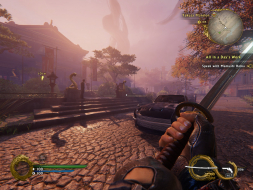
![]() Widescreen Grade: A Ultra-Widescreen Grade: B Multi-monitor Grade: B 4k Grade: A Read Full Detailed Report - Shadow Warrior 2 Shadow Warrior 2 is the stunning evolution of Flying Wild Hog’s offbeat first-person shooter following the further misadventures of former corporate shogun Lo Wang. Now surviving as a reclusive mercenary on the edge of a corrupted world, the formidable warrior must again wield a devastating combination of guns, blades, magic and wit to strike down the demonic legions overwhelming the world. Battle alongside allies online in four-player co-op or go it alone in spectacular procedurally-generated landscapes to complete daring missions and collect powerful new weapons, armor, and arcane relics of legend. ![]() 4:3 ![]() 16:10 ![]() 16:9 ![]() 21:9 ![]() 3x1 |
|
| Author: | Haldi [ 14 Oct 2016, 02:12 ] |
| Post subject: | Re: Shadow Warrior 2 |
It's not fully perfect... I'm playing on 6048x1080 Bezel Corrected, and the HUD is perfectly centered... so for 5760x1080 that would be nice, in my case tiny wee bit of the HUD is hidden behind the Bezel And the Spells in Mission Description are way to big ^^ Attachment: ShadowWarrior2_2016_10_14_03_05_34_034.jpg [ 696.51 KiB | Viewed 8048 times ] Guns work fine it seems. Attachment: ShadowWarrior2_2016_10_14_03_05_40_437.jpg [ 774.38 KiB | Viewed 8051 times ] |
|
| Author: | anteronoid [ 15 Oct 2016, 14:04 ] |
| Post subject: | Re: Shadow Warrior 2 |
Haldi wrote: It's not fully perfect... And the Spells in Mission Description are way to big ^^ Attachment: ShadowWarrior2_2016_10_14_03_05_34_034.jpg Guns work fine it seems. Attachment: ShadowWarrior2_2016_10_14_03_05_40_437.jpg Yes, same in nvidia surround i see now when tested it. |
|
| Author: | skipclarke [ 15 Oct 2016, 17:06 ] |
| Post subject: | Re: Shadow Warrior 2 |
I got a new set of matching screens. Included 21:9, Eyefinity and 4k. Adjusted the grade to Silver for Multi-Mon. |
|
| Author: | charvels4me [ 17 Oct 2016, 21:03 ] |
| Post subject: | Re: Shadow Warrior 2 |
I am running an MSI GTX 1070 and the game will immediately crash when I go to Full Screen at 5760X1080. I am not sure what to make of this. In both windowed modes it will run but it looks like it is 1920X1080 stretched across three screens. I have turned all settings down to low and it still crashes without even resuming playing. I am patched and all drivers are up to date. DOOM runs and looks great maxed out. just wondering if I am missing something. thank you Len |
|
| Author: | newparad1gm [ 18 Oct 2016, 01:52 ] |
| Post subject: | Re: Shadow Warrior 2 |
charvels4me wrote: I am running an MSI GTX 1070 and the game will immediately crash when I go to Full Screen at 5760X1080. I am not sure what to make of this. In both windowed modes it will run but it looks like it is 1920X1080 stretched across three screens. I have turned all settings down to low and it still crashes without even resuming playing. I am patched and all drivers are up to date. DOOM runs and looks great maxed out. just wondering if I am missing something. thank you Len I had a problem with it crashing at 5760x1080 as well in full screen. It was on 144Hz refresh with Vsync off. I stopped the crashing by turning on Vsync and reducing the refresh rate to 60Hz. You can do this in the config file. |
|
| Author: | charvels4me [ 18 Oct 2016, 02:10 ] |
| Post subject: | Re: Shadow Warrior 2 |
Quote: I had a problem with it crashing at 5760x1080 as well in full screen. It was on 144Hz refresh with Vsync off. I stopped the crashing by turning on Vsync and reducing the refresh rate to 60Hz. You can do this in the config file. VSync on and down to 60 Hz and no crashes. Thank you for the help ! |
|
| Author: | Guest [ 18 Oct 2016, 12:10 ] |
| Post subject: | Re: Shadow Warrior 2 |
My HUD is no where near centered. I'm running 5760x1080 and my HUD is on the far edges of my outside monitors. Anyone else have this issue or know of a fix? Thanks |
|
| Author: | Haldi [ 18 Oct 2016, 16:16 ] |
| Post subject: | Re: Shadow Warrior 2 |
if you go to %USERPROFILE%\Saved Games\Flying Wild Hog\Shadow Warrior 2\profiles\steam_......\ and open the config.cfg what do these lines say? r_fullscreen "1" r_fullscreen_aspect "3" default:r_fullscreen_aspect "3" r_fullscreen_modes "6048x1080" default:r_fullscreen_modes "6048x1080" |
|
| Author: | Haldi [ 19 Oct 2016, 21:31 ] |
| Post subject: | Re: Shadow Warrior 2 |
Ohhh i see what you mean there. Attachment: ShadowWarrior2_2016_10_19_18_50_04_900.jpg [ 795.29 KiB | Viewed 7899 times ] I got rid of this by deactivating Eyefinity, Starting the Game in 1920x1080, switiching back to Eyefinity, changing the ini settings to 6048x1080 because if i didnt the game would be stretched and i couldn't see the menues. |
|
| Page 1 of 2 | All times are UTC [ DST ] |
| Powered by phpBB® Forum Software © phpBB Group https://www.phpbb.com/ |
|