Widescreen Gaming Forum
https://www.wsgf.org/phpBB3/

Battlefield 4
https://www.wsgf.org/phpBB3/viewtopic.php?f=61&t=26778
Page 1 of 1

Author:  peanut [ 31 Oct 2013, 20:39 ]
Post subject:  Battlefield 4


Widescreen Grade: A
Ultra-Widescreen Grade: A
Multi-monitor Grade: A
4k Grade: Incomplete

Read Full Detailed Report - Battlefield 4

Battlefield 4 features several changes compared to its predecessor. The game's heads-up display is much the same, composed of two compact rectangles. The lower left-hand corner features a mini-map and compass for navigation, and a simplified objective notice above it; the lower right includes a compact ammo counter and health meter. The mini-map, as well as the main game screen, shows symbols marking three kinds of entities: blue for allies, green for squadmates, and red/orange for enemies.

Players can now use dual-scoped weapons, including weapons with different firing modes (e.g. single shots, automatic fire). They can now "spot" targets—marking their positions to the player's squad— in the single player campaign (a first in the Battlefield franchise) as well as in multiplayer, allowing teammates to either suppress or eliminate them. In addition, players will have more survival capabilities, such as countering melee attacks from the front while standing or crouching, shooting with their sidearm while swimming, and diving underwater to avoid enemy detection. The single-player campaign will see the player using vehicles to quickly traverse mini-sandbox-style levels.
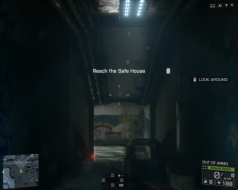


4:3
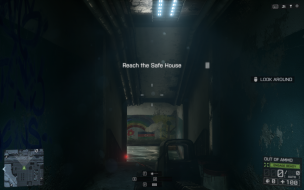

16:10


16:9
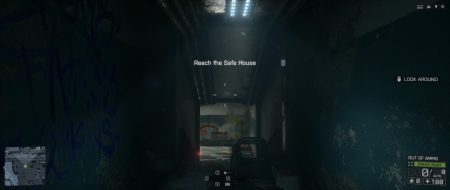

21:9


3x1


Author:  frag85 [ 01 Nov 2013, 00:29 ]
Post subject:  Re: Battlefield 4 (Multiplayer)

Aside from team mate markers only appearing on the center monitor and the menu and round end screen being broken on eyefinity/surround, they did a pretty good job with multimon support.

Image

Image

Author:  anteronoid [ 01 Nov 2013, 13:45 ]
Post subject:  Re: Battlefield 4 (Multiplayer)

I also have a problem with the Comma Rose. Don't know if its me or the game...

When i press Q to show the Command Rose my mouse pointer is ALWAYS way to the left on the Left monitor, and i have to swipe the mouse a lot to mark a Command and click on it. This makes it a dangerous task in the heat of battle, always have to take shelter, then after I'm safe I can set a ATTACK/DEFEND marker for the squad. So its really annoying. :wtf:

First I thought that i maybe had connected the monitors wrong or something so that the "master" screen wasn't correctly detected.
I have a 3-way Sli Surround solution and the middle monitor is connected to the top most card. Witch it should be, right?

Anyone else having a problem with this?

Author:  peanut [ 02 Nov 2013, 00:02 ]
Post subject:  Re: Battlefield 4 (Multiplayer)

frag85 wrote:
Aside from team mate markers only appearing on the center monitor and the menu and round end screen being broken on eyefinity/surround, they did a pretty good job with multimon support.

Image

Image


Strange Frag, I dont have those issues? Nvidia @ 5760x1080

Author:  NikoTeen [ 06 Nov 2013, 22:27 ]
Post subject:  Re: Battlefield 4 (Multiplayer)

Hi, the singleplayer campaign is locked at FOV 55.
Does someone has an idea if something is on his way to code a plugin to fix that ?

The multiplayer FOV slider works like a charm.

Author:  frag85 [ 08 Nov 2013, 20:59 ]
Post subject:  Re: Battlefield 4 (Multiplayer)

anteronoid wrote:
I also have a problem with the Comma Rose. Don't know if its me or the game...

When i press Q to show the Command Rose my mouse pointer is ALWAYS way to the left on the Left monitor, and i have to swipe the mouse a lot to mark a Command and click on it. This makes it a dangerous task in the heat of battle, always have to take shelter, then after I'm safe I can set a ATTACK/DEFEND marker for the squad. So its really annoying. :wtf:

First I thought that i maybe had connected the monitors wrong or something so that the "master" screen wasn't correctly detected.
I have a 3-way Sli Surround solution and the middle monitor is connected to the top most card. Witch it should be, right?

Anyone else having a problem with this?


Its not always on the left for me, but its not where you'd expect it (centered in the pop up). I don't use it, so its not a big deal for me. If anything it gets in the way if I hold Q for a split second after giving an order or spotting.


peanut wrote:

Strange Frag, I dont have those issues? Nvidia @ 5760x1080


Judging by what is cut off, I think they handled that screen in tripplehead the way a few other games I have played handle it (like what Overkill did with Payday2, or SOE did with PS2; set it up so if your aspect is >16:9, the 'center' is scaled to 16:9) I'm running 3x 5:4, so when something is 16:9 it bleeds over about 1/3 of the way into my left and right monitors, however BF4 makes the left and right monitor black cutting off the round end results. The HUD and MP menu work fine. Must have been someone else doing the configuration for those screens.

Author:  J3ff_Ray [ 27 Dec 2013, 08:39 ]
Post subject:  Re: Battlefield 4 (Multiplayer)

Hi everyone,

First time on the forums, first time with nvidia surround set up. (Aka very noob) Ive been trying bf4 and it seems the left and right screens are in different aspect ratios than the middle. Reading the posts above and im confused as to how to fix this.. I get the sense I can not fix this till bf4 is patched. Also, what is the best FOV to pick to at least help this? Thanks guys


Jeff

Author:  skipclarke [ 14 Jan 2014, 23:12 ]
Post subject:  Re: Battlefield 4

I've updated the DR with info from the SP campaign - gameplay, fmv and cut-scenes. I've also added info on 21:9. All are Hor+. The images I chose aren't the best, due to the darkness. However, they are all in the exact same spot (mission start) and have mission objective text.

If you check out the additional screenshots, you'll see a second set at the start of the first corridor. These are lighter, and have the rainbow on the right wall - which is great for showing the FOV. However, I couldn't get the exact same spot for taking the pics.

Author:  infernal_nl-nl [ 30 Jun 2016, 15:10 ]
Post subject:  Re: Battlefield 4

Do we have a solution for this? I just bought a single 3440x1440 Asus PG348Q and I have the cutoffs just like frag85 has. Not when playing the gsame itself (bf4) but when the round is over.. can't even see the scores normal..

Page 1 of 1 All times are UTC [ DST ]
Powered by phpBB® Forum Software © phpBB Group
https://www.phpbb.com/