| Widescreen Gaming Forum https://www.wsgf.org/phpBB3/ |
|
| Fallout: New Vegas https://www.wsgf.org/phpBB3/viewtopic.php?f=61&t=26231 |
Page 1 of 1 |
| Author: | argash [ 28 May 2013, 22:58 ] |
| Post subject: | Fallout: New Vegas |
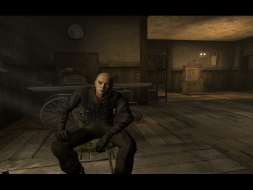
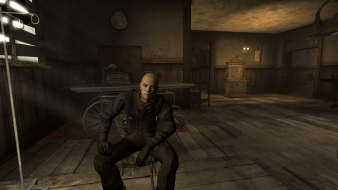
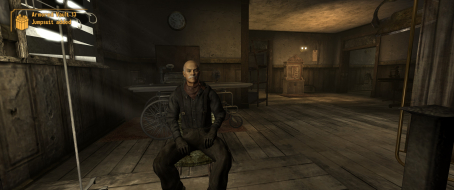
![]() Widescreen Grade: A Ultra-Widescreen Grade: B Multi-monitor Grade: B 4k Grade: Incomplete Read Full Detailed Report - Fallout: New Vegas Fallout: New Vegas is an action role-playing video game developed by Obsidian Entertainment and published on October 2010 by Bethesda Softworks Obsidian Entertainment presents new features and improvements in Fallout: New Vegas that are implemented upon the foundation of Fallout 3. For example, the original Fallout 3 version of the Gamebryo engine was reworked to accommodate the extra lights and effects of the Las Vegas Strip. (Source: Wikipedia) ![]() 4:3 ![]() 16:10 ![]() 16:9 ![]() 21:9 ![]() 3x1 |
|
| Author: | Mawrtin [ 29 May 2013, 14:10 ] |
| Post subject: | Re: Fallout: New Vegas |
Fixing the UI is the same as Fallout3: edit the three .ini-files (Fallout_default.ini in game directory, and Fallout.ini/FalloutPrefs.ini in documents/games/FalloutNV): Code: [Display] fDefaultFOV=120.0000 bEnableEyefinity=0 iSize W=6048 iSize H=1080 Code: [Interface] iSafeZoneXWide=925 iSafeZoneYWide=15 iSafeZoneX=925 iSafeZoneY=15 To make the pipboy/terminals more usable: Code: [Fonts] sFontFile_1=Textures\Fonts\Glow_Monofonto_Large.fnt sFontFile_2=Textures\Fonts\Glow_Monofonto_VL_dialogs.fnt sFontFile_3=Textures\Fonts\Glow_Monofonto_Medium.fnt sFontFile_4=Textures\Fonts\Monofonto_VeryLarge02_Dialogs2.fnt sFontFile_5=Textures\Fonts\Glow_Monofonto_VL_dialogs.fnt sFontFile_6=Textures\Fonts\Glow_Monofonto_VL_dialogs.fnt sFontFile_7=Textures\Fonts\Baked-in_Monofonto_Large.fnt sFontFile_8=Textures\Fonts\Glow_Futura_Caps_Large.fnt sFontFile_9=Textures\Fonts\NVFont_Test.fnt Code: [RenderedTerminal]
fRenderedTerminalZoom=88 |
|
| Author: | argash [ 29 May 2013, 15:15 ] |
| Post subject: | Re: Fallout: New Vegas |
Mawrtin wrote: Fixing the UI is the same as Fallout3: edit the three .ini-files (Fallout_default.ini in game directory, and Fallout.ini/FalloutPrefs.ini in documents/games/FalloutNV): Code: [Display] fDefaultFOV=120.0000 bEnableEyefinity=0 iSize W=6048 iSize H=1080 Code: [Interface] iSafeZoneXWide=925 iSafeZoneYWide=15 iSafeZoneX=925 iSafeZoneY=15 To make the pipboy/terminals more usable: Code: [Fonts] sFontFile_1=Textures\Fonts\Glow_Monofonto_Large.fnt sFontFile_2=Textures\Fonts\Glow_Monofonto_VL_dialogs.fnt sFontFile_3=Textures\Fonts\Glow_Monofonto_Medium.fnt sFontFile_4=Textures\Fonts\Monofonto_VeryLarge02_Dialogs2.fnt sFontFile_5=Textures\Fonts\Glow_Monofonto_VL_dialogs.fnt sFontFile_6=Textures\Fonts\Glow_Monofonto_VL_dialogs.fnt sFontFile_7=Textures\Fonts\Baked-in_Monofonto_Large.fnt sFontFile_8=Textures\Fonts\Glow_Futura_Caps_Large.fnt sFontFile_9=Textures\Fonts\NVFont_Test.fnt Code: [RenderedTerminal] fRenderedTerminalZoom=88 Added that information to the Detailed Report, thanks! |
|
| Author: | kingcasper [ 16 May 2014, 20:00 ] |
| Post subject: | Re: Fallout: New Vegas |
can someone help me get this game working at 21-9/2560x1080 ? ive got it full screen at the res..but it looks awful |
|
| Author: | kingcasper [ 25 May 2014, 07:44 ] |
| Post subject: | Re: Fallout: New Vegas |
please ? |
|
| Author: | Gnrl Kitty [ 09 Dec 2014, 21:22 ] |
| Post subject: | Re: Fallout: New Vegas |
I highly highly recommend playing around with the fRenderedTerminalZoom= setting. With a 21:9 3440x1440 monitor, setting it to 46 rather than the 75 the page said gave the expected result. |
|
| Author: | setitimer [ 20 Mar 2015, 21:34 ] |
| Post subject: | Re: Fallout: New Vegas |
Just got a LG 34UM65 2560x1080 and found some of the advice in this thread very helpful. For me, the best setting for hacking terminals is fRenderedTerminalZoom=54. At 2560x1080 that makes them look basically the same as they did in 1920x1080. The other thing I had to fix was the scope. With the default settings there are white rectangles to either side of the crosshairs when zooming with a scoped rifle. It didn't make the game unplayable, but it was annoying. To fix, add fScopeScissorAmount=0 just below [Display] in each of the three ini files. |
|
| Author: | Zaxter [ 29 Apr 2015, 16:15 ] |
| Post subject: | Re: Fallout: New Vegas |
I'm using an Eyefinity 3x1 5670x1080. I am having a rough time getting the Terminals and Pip-Boys to display readable text. I have been trying a range of numbers for the fRenderedTerminalZoom with no luck. I don't know much about the fonts, should I be looking into that for a fix? it seems like the "scan lines" of the terminal are distorting the Font, and about half of the words are un-readable. |
|
| Author: | RickyOG90 [ 04 Nov 2015, 03:38 ] |
| Post subject: | Re: Fallout: New Vegas |
Hey guys, I recently upgraded my desktop from 1 25" 21:9 with 2 23" 16:9 monitors to 3 25" 21:9 monitors and I am currently loving it way more than I should. I enjoyed having games run across all three screens except for a few that didn't have support for triple screens, like fallout 3 and new vegas. I took your edits and tweaked them to fit better on my triple ultra-wide setup and i figure that I might as well share it for anybody else that might happen to do the same thing with the same monitor setup By the way I also downloaded the New Vegas Stutter Remover as well from nexusmods http://www.nexusmods.com/newvegas/mods/ ... 4832&pUp=1 However I still have an issue with text in the pipboy even after changing the frenderedterminalzoom to 88 and messing around with the frenderedterminalfov as well which did nothing. But for now, at least anybody else thats running triple ultrawides can play fallout 3 or nv across all three screens CODE: SELECT ALL [Display] fDefaultFOV=120.0000 bEnableEyefinity=0 iSize W=7680 iSize H=1080 CODE: SELECT ALL [Interface] iSafeZoneXWide=1135 iSafeZoneYWide=15 iSafeZoneX=1135 iSafeZoneY=15 To make the pipboy/terminals more usable: CODE: SELECT ALL [Fonts] sFontFile_1=Textures\Fonts\Glow_Monofonto_Large.fnt sFontFile_2=Textures\Fonts\Glow_Monofonto_VL_dialogs.fnt sFontFile_3=Textures\Fonts\Glow_Monofonto_Medium.fnt sFontFile_4=Textures\Fonts\Monofonto_VeryLarge02_Dialogs2.fnt sFontFile_5=Textures\Fonts\Glow_Monofonto_VL_dialogs.fnt sFontFile_6=Textures\Fonts\Glow_Monofonto_VL_dialogs.fnt sFontFile_7=Textures\Fonts\Baked-in_Monofonto_Large.fnt sFontFile_8=Textures\Fonts\Glow_Futura_Caps_Large.fnt sFontFile_9=Textures\Fonts\NVFont_Test.fnt CODE: SELECT ALL [RenderedTerminal] fRenderedTerminalZoom=88 |
|
| Author: | MRxVaultx101 [ 14 Mar 2017, 05:09 ] |
| Post subject: | Re: Fallout: New Vegas |
Just in case someone is still having issues with the zoom on the terminals on widescreens; try this and see fRenderedTerminalFOV=0.15 - Sets the Field of View for the computer terminal screens within the game. Altering this setting effectively determines the size of the screens - higher values will make the terminal screens fill less of your screen, lower values will make the terminal screens larger (Fallout.ini). http://www.tweakguides.com/Fallout3_8.html I changed "fRenderedTerminalFOV=0.15" to "fRenderedTerminalFOV=0.17" in the Fallout_default config text in the steam/steamapps/common/Fallout New Vegas [RenderedTerminal] bUseRenderedTerminals=1 fRenderedTerminalFOV=0.17 fRenderedTerminalZoom=46 bDoRenderedTerminalScanlines=1 fRenderedTerminalScanlineScale=130.000000 fRenderedTerminalHPos=0.0 fRenderedTerminalVPos=0.38 fScreenLightBaseIntensity=1.2 fScreenLightRadius=80 fScreenLightColorR=0.68 fScreenLightColorG=0.74 fScreenLightColorB=0.62 |
|
| Page 1 of 1 | All times are UTC [ DST ] |
| Powered by phpBB® Forum Software © phpBB Group https://www.phpbb.com/ |
|