| Widescreen Gaming Forum https://www.wsgf.org/phpBB3/ |
|
| Trine 2 https://www.wsgf.org/phpBB3/viewtopic.php?f=61&t=26111 |
Page 1 of 1 |
| Author: | ViciousXUSMC [ 08 Dec 2011, 07:00 ] |
| Post subject: | Trine 2 |
| Author: | ViciousXUSMC [ 08 Dec 2011, 20:41 ] |
| Post subject: | Trine 2 |
 Widescreen Grade: B Ultra-Widescreen Grade: B Multi-monitor Grade: B 4k Grade: B Read Full Detailed Report - Trine 2 Trine 2 is the successor the great physics based action side-scroller and puzzle game Trine. Enjoy taking on the rolls of the Knight, Thief, and Wizard either alone or with friends via online cooperative play. 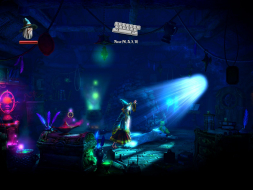 4:3 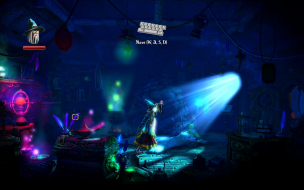 16:10 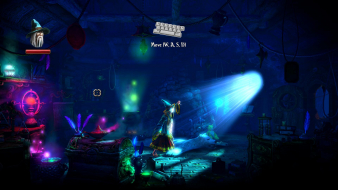 16:9 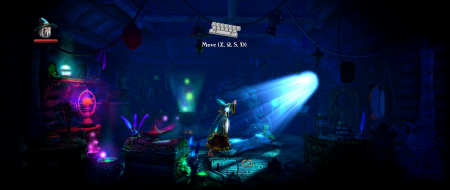 21:9 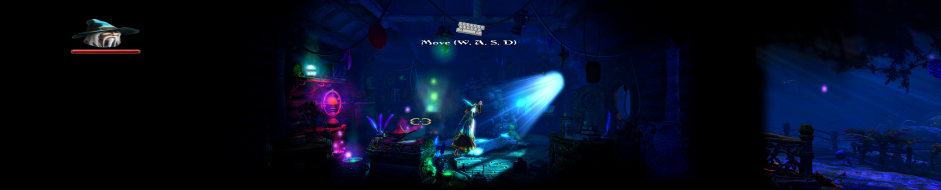 3x1 |
|
| Author: | ViciousXUSMC [ 08 Dec 2011, 20:54 ] |
| Post subject: | Yeah cut scenes I can do. |
Yeah cut scenes I can do. Game crashes multi-mon if taking screenshot with FRAPS but works ok with Steam screen shot utility. Cut scenes stretch/span all monitors if they are not the rendered type. I only tested 1600x1200, 1920x1200, 1920x1080, 5940x1200, 5760x1200 for aspect ratio but saw pretty much all basic resolutions available in the display setup. |
|
| Author: | Skid [ 08 Dec 2011, 21:11 ] |
| Post subject: | Editing my usual type video |
Editing my usual type video for this currently, but yer, sum up, 3D, Hor+, 2D Streached. |
|
| Author: | ViciousXUSMC [ 08 Dec 2011, 21:31 ] |
| Post subject: | Ok added all the new |
Ok added all the new screenshots, should be pretty much complete now. Looks like 16:10 vs 16:9 there is minor crop and then going to Surround it uses the 16:9 crop and then just stretches any 2D element from that point forward. |
|
| Author: | scavvenjahh [ 12 Dec 2011, 14:28 ] |
| Post subject: | Pretty weird, actually. As if |
Pretty weird, actually. As if the game was designed "for" 16:10 and 16:9 was an afterthougt. Trine 1 was more HD-friendly. Anyway, no edit required for high resolutions this time around. Resolution section of the DR updated. |
|
| Author: | helifax [ 12 Dec 2011, 20:13 ] |
| Post subject: | For people using 3D Surround |
For people using 3D Surround or Surround and SLI: Using Nvidia Inspector add Trine2-32bits.exe as the executable under the Trine Profile. This will make the game to actually use SLI. Results: - From 18-20 fps in 3D Surround I get 60Fps in 3D Surround (constant). - This should be used until a proper profile is released for the game with SLI, but I suspect they will use the TRINE SLI bits.:) Best Regards, Helifax |
|
| Page 1 of 1 | All times are UTC [ DST ] |
| Powered by phpBB® Forum Software © phpBB Group https://www.phpbb.com/ |
|