| Widescreen Gaming Forum https://www.wsgf.org/phpBB3/ |
|
| Chrome https://www.wsgf.org/phpBB3/viewtopic.php?f=61&t=25758 |
Page 1 of 1 |
| Author: | czarman [ 04 Dec 2012, 07:00 ] |
| Post subject: | Chrome |
![]() Widescreen Grade: C Ultra-Widescreen Grade: C Multi-monitor Grade: C 4k Grade: C Read Full Detailed Report - Chrome As Chrome is a first-person shooter most of the gameplay involves traversing 3D environments by foot and fighting human enemies with an array of ranged weapons. Occasionally the player has to solve simple puzzles and find keys that allow to enter new areas. What made Chrome stand out upon its release was that a large part of the game's action takes place in vast open areas, providing some tactical freedom to the player. The player is also able to utilize six different kinds of vehicles that allow for fast movement and provide protection as well as heavy weaponry in some cases. Another feature that wasn't common at the time was the ability to slightly zoom in with every kind of weapon. ![]() 4:3 ![]() 16:10 ![]() 16:9 ![]() 21:9 ![]() 3x1 |
|
| Author: | antrad [ 29 Mar 2017, 02:43 ] |
| Post subject: | Re: Chrome |
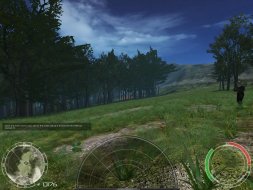
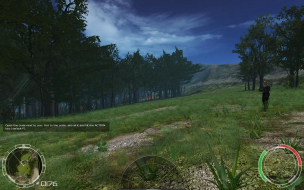
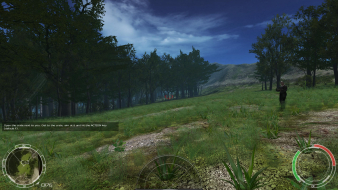
UPDATE: This doesn't fix the FOV in cut-scenes, communicator and implant screen. Use unofficial patch below which includes jackfuste's updated ChromeEngine.dll (FOV is changed from ver- to hor+) and more options to change individual FOV settings used during gameplay. I managed to fix the FOV in this game, might even work for Specforce, but I have yet to test it. 4:3 - default 82 ![]() 16:9 - default 82 ![]() 16:9 - custom 97 ![]() I have made some custom settings using the FOV calculator on this site for 16:10, 16:9, 21:9 and 3x1. I don't have an ultra widescreen monitor or triple monitor setup to test them all. If you don't like them, read the included README or the instructions below to make your own. - Select the FOV you want and rename the file to CameraPlayer.class - Go to game install directory and open code.pak archive with WinRar or 7-Zip - Drop the file inside the code.pak archive to replace the existing file NOTES: - I made a mistake and have named the files by the third person perspective values, the first person perspective values are larger by 22. - The files are from Chrome patched to version 1.2 Code: https://www.mediafire.com/?yjwhiu5483hw5lv Making your own FOV settings (singleplayer/multiplayer) --------------------------------------------------------------- - Go to game install directory and open code.pak with WinRar/7Zip - Extract CameraPlayer.class file - Open CameraPlayer.class file using dirtyJOE(Java editor) and in the "constant pool" tab find and replace the following values: -> 82 - first person perspective -> 60 - third person perspective -> 75 - vehicles, sniper, binoculars... - Drop the file inside the code.pak archive to replace the existing file codenet.pak contains settings for the multiplayer and you can use the same method. Java class editor Code: http://dirty-joe.com FOV calculator Code: http://www.wsgf.org/fovcalc.php
|
|
| Author: | antrad [ 13 May 2017, 08:07 ] |
| Post subject: | Re: Chrome |
After a lot of work I have released an unofficial "patch" for Chrome and Chrome SpecForce called "Visual Fidelity". The goal of this "patch" is to enable the games to be played in widescreen resolutions, ultra widescreen, multi monitor setups and in 4K and above by fixing text rendering and FOV issues and properly scaling some HUD elements. Another goal was to increase the visual fidelity of the game by forcing the game to render highest quality assets even when they are far away from the player. Only assets that will actually be changed are the HUD map textures. No gameplay changes have been made. - Jackfuste fixed the ChromeEngine2.dll for the hor+ FOV - The game now natively supports all available resolutions. - I also added a FOV multiplier in the player camera code, so all player FOV values can be permanently changed with one simple edit (you can also change each setting individually) - High resolution map textures for original Chrome were taken from Chrome Widescreen Mod(Chrome HD Fix). That old mod/fix changed the original font to make it readable, because it was too small. I have actually fixed the bug in the code that caused the font to be tiny. - I also wrote a program that increases the scaling factor for text in all external HUD/GUI files - Added resolution based scaling for text defined in code(subtitles) and some HUD elements like crosshair and hit indicators, so game should be 4K/8K ready. - I also disabled mouse acceleration. Menu items and HUD elements except those circles will still be stretched, that would require a rewrite of the GUI code and I didn't touch that. I also haven't touched the multiplayer code. There is a large list of updates, you can read them on the ModDB page and in the included change log, no need to repeat all of it here: http://www.moddb.com/games/chrome/downloads/chrome-and-chrome-specforce-unofficial-patch Alternative download link: http://www.mediafire.com/file/qxgdmy61fuyhbkx/Chrome+and+Chrome+SpecForce-Visual+Fidelity_FIN.rar I made a short comparison video, you can check it out here: https://www.youtube.com/watch?v=h3qSGN8xPpQ HUD, FOV, text - before/after ![]() ![]() ![]() ![]() Level of detail (zoomed in) - before/after ![]()
|
|
| Author: | scavvenjahh [ 15 May 2017, 15:49 ] |
| Post subject: | Re: Chrome |
Amazeness. |
|
| Author: | antrad [ 17 May 2017, 09:51 ] |
| Post subject: | Re: Chrome |
Someone will have to update the ratings and stuff for Chrome and Chrome Specforce. I have only one monitor and can push the Virtual Resolution only to 1440p, so I am useless. |
|
| Page 1 of 1 | All times are UTC [ DST ] |
| Powered by phpBB® Forum Software © phpBB Group https://www.phpbb.com/ |
|