| Widescreen Gaming Forum https://www.wsgf.org/phpBB3/ |
|
| BioShock Infinite https://www.wsgf.org/phpBB3/viewtopic.php?f=61&t=25463 |
Page 1 of 2 |
| Author: | skipclarke [ 28 Mar 2013, 20:38 ] |
| Post subject: | BioShock Infinite |
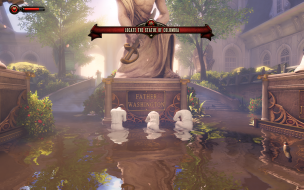
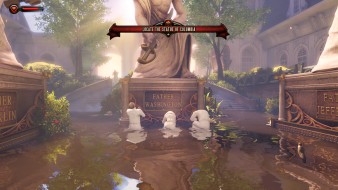
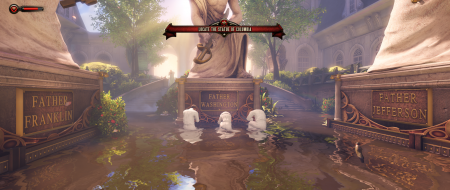
![]() Widescreen Grade: A Ultra-Widescreen Grade: B Multi-monitor Grade: B 4k Grade: A Read Full Detailed Report - BioShock Infinite BioShock Infinite is a first-person shooter video game and the third installment in the BioShock series. In development is was known as "Project Icarus". BioShock Infinite is not part of the storyline of previous BioShock games but features similar gameplay concepts and themes. Like BioShock and BioShock 2, BioShock Infinite is a first-person shooter with role-playing elements similar to the previous two games. As Booker, the player moves about the various structures of Columbia using a grappling hook, a series of railways connecting the buildings called the Skyline, and other transport means to search for Elizabeth. The player will gain weapons which can be used in numerous ways within the environment, including on the Skyline, to defeat enemies; however the player is only able to carry two weapons at any time. Booker gains powers and abilities by using vigors and wearing gear that are found through Columbia, the equivalent of BioShock's plasmids and tonics respectively. (Source: Wikipedia) ![]() 4:3 ![]() 16:10 ![]() 16:9 ![]() 21:9 ![]() 3x1 |
|
| Author: | llKoinKoinll [ 28 Mar 2013, 21:26 ] |
| Post subject: | Re: Bioshock Infinity |
My HUD is not on my middle screen, A solution is available ? |
|
| Author: | skipclarke [ 28 Mar 2013, 22:45 ] |
| Post subject: | Re: Bioshock Infinite |
Starting here: http://www.wsgf.org/forums/viewtopic.ph ... 04#p144304 This may be a fix. And another post had an option as well. |
|
| Author: | llKoinKoinll [ 28 Mar 2013, 23:45 ] |
| Post subject: | Re: Bioshock Infinite |
I have already try this, but this doesn't work, modification of xuser.ini was reset when I launch the game :-/ Thanks for your help & sry for my english |
|
| Author: | Cap Loz [ 01 Apr 2013, 21:38 ] |
| Post subject: | Re: Bioshock Infinite |
llKoinKoinll wrote: I have already try this, but this doesn't work, modification of xuser.ini was reset when I launch the game :-/ Thanks for your help & sry for my english Mine does exactly the same and I'm still looking for a cure. Anyone?? |
|
| Author: | llKoinKoinll [ 02 Apr 2013, 00:23 ] |
| Post subject: | Re: Bioshock Infinite |
Anyone |
|
| Author: | tepescovir [ 02 Apr 2013, 07:52 ] |
| Post subject: | Re: Bioshock Infinite |
My hud is fine, but i'm on nvidia. Is this issue limited to ati or does other nvidia users also have this? |
|
| Author: | Skid [ 02 Apr 2013, 09:20 ] |
| Post subject: | Re: Bioshock Infinite |
CoolMan=GCHQ= wrote: My hud is fine, but i'm on nvidia. Is this issue limited to ati or does other nvidia users also have this? I think it's an issue with the ATI Drives / Eyefinity API, I used to get this all the time when I was using ATI cards, despite the fact the drivers are set to a multi-monitor resolution (I used none belze corrected / standard resolutions) the drivers failed to identify to the API that Eyefinity was being used. The result was any HUD centring system that used the API didn't work. |
|
| Author: | Bifurk8 [ 02 Apr 2013, 12:58 ] |
| Post subject: | Re: Bioshock Infinite |
I've been using 2 Radeon 7950s with Catalyst 13.3 beta 3 and my HUD is centered. I'm thinking it may have something to do with Bioshock not properly detecting your multi-monitor aspect ratio. What resolution/screen configuration are you using? Do you have the option in the Bioshock Infinite display settings to set your aspect ratio to multi-monitor? Edit: I'm not sure if it'll do you any good, but you could try setting the XGame.ini file to read only after making the suggested changes. Edit 2: You could also try editing DefaultGame.ini from \Steam\steamapps\common\Bioshock Infinite\XGame\Config. I found the following variables that seem related: [XCore.XScreenManager] ;This will set the safe rectangle to the Viewport size, except for in a few multimonitor set-ups, and will ignore the SafeRect values below. bUseDefaultSafeRect = true SafeRectX0 = 0 SafeRectY0 = 0 SafeRectX1 = -1 SafeRectY1 = -1 ;The maximum aspect ratio for the default safe Rect, if our monitor setup can fit this ratio, ;the default will cover every monitor, if not it will try to find a centered monitor setup to fit it. ;Initial Value = 16:9, Try to fit to our max supported ratio. MaxDefaultSafeRectAspectRatio = 1.77778 |
|
| Author: | llKoinKoinll [ 02 Apr 2013, 14:10 ] |
| Post subject: | Re: Bioshock Infinite |
I haven't "multi monitor" option in aspect ratio, just 4:3, 16:9: & an another one, and I set to this, but not "multi monitor" I think AMD is working on this probleme to correct this in next beta drivers ? |
|
| Page 1 of 2 | All times are UTC [ DST ] |
| Powered by phpBB® Forum Software © phpBB Group https://www.phpbb.com/ |
|