Widescreen Gaming Forum
https://www.wsgf.org/phpBB3/

Baldur's Gate: Enhanced Edition
https://www.wsgf.org/phpBB3/viewtopic.php?f=61&t=25102
Page 1 of 1

Author:  skipclarke [ 04 Dec 2012, 16:44 ]
Post subject:  Baldur's Gate: Enhanced Edition


Widescreen Grade: A
Ultra-Widescreen Grade: C
Multi-monitor Grade: C
4k Grade: Incomplete

Read Full Detailed Report - Baldur's Gate: Enhanced Edition

Remake of the classic role-playing video game Baldur's Gate and its expansion Baldur's Gate: Tales of the Sword Coast. Developer Overhaul Games stated that the games are more than just remakes of the classic RPG and that there are many differences between the two versions. Downloadable content will be made available, as well as the ability to mod the game. Overhaul Games decided to add an autoupdate function to the game and also to modify it based on suggestions made by users. Beamdog stated that the Overhaul team had added over 400 improvements to the original game.

(Source: Wikipedia)
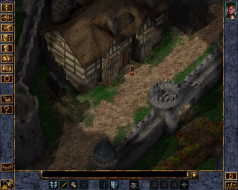


4:3
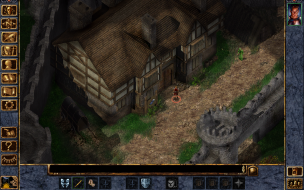

16:10
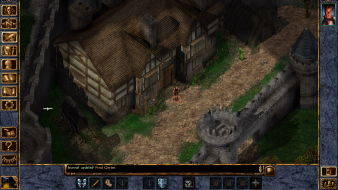

16:9
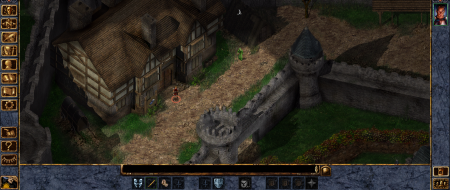

21:9


3x1


Author:  Mach1.9pants [ 05 Dec 2012, 03:31 ]
Post subject:  Re: Baldur's Gate: Enhanced Edition

Ooooh it's out :D

Author:  brobb129 [ 16 Dec 2012, 16:41 ]
Post subject:  Re: Baldur's Gate: Enhanced Edition

Trying to run this game, but only the top/left 1/4 of the game shows up on my screen. Tried to change settings in-game but can't (can't mouse over to the settings as they are off-screen) CAn't figure out how to play it in windowed-mode either, if possible. I've actually had this problem with an old version of Neverwinter Nights too. Help! I can't wait to play BG, it's one of my favorites. I'm running a Samsung Synchmaster HDTV monitor 50000:1.

Author:  Anathema- [ 01 Jan 2016, 18:37 ]
Post subject:  Re: Baldur's Gate: Enhanced Edition

Hey all I just picked up Baldur's Gate: EE and had the same issues as above. Looks like the menus don't like UW resolutions and will be massively off center (despite being, as far as I can tell, the correct resolution). I tried changing the Baldur.ini file to match 3440x1440 but it didn't change anything. I got the game to work eventually, at least getting my character created and to the game where I can control it, where it does appear to correctly support 3440x1440 and looks pretty good too.

THE FIX: Basically you have to go into windowed mode for menus or anything else that doesn't work right. Old-school ALT+ENTER will toggle you between windowed and fullscreen mode. Once you get to the game you can play in fullscreen, at least for as much as I tested. Going back to play it now and if it bones up at all I'll let you all know :)

Author:  Anathema- [ 02 Jan 2016, 18:37 ]
Post subject:  Re: Baldur's Gate: Enhanced Edition

On further inspection it seems like the game still doesn't like starting with a second monitor on. I still get the terrible expanded screen if I toggle fullscreen with a second monitor on; but if I turn that monitor off all is well and I can also turn that second monitor back on after getting a proper fullscreen.

Page 1 of 1 All times are UTC [ DST ]
Powered by phpBB® Forum Software © phpBB Group
https://www.phpbb.com/