Widescreen Gaming Forum
https://www.wsgf.org/phpBB3/

Batman: Arkham Asylum
https://www.wsgf.org/phpBB3/viewtopic.php?f=61&t=17755
Page 1 of 1

Author:  skipclarke [ 08 Aug 2009, 02:42 ]
Post subject:  Batman: Arkham Asylum


Widescreen Grade: A
Ultra-Widescreen Grade: A
Multi-monitor Grade: A
4k Grade: Incomplete

Read Full Detailed Report - Batman: Arkham Asylum

Batman: Arkham Asylum is a hotly anticipated Batman title for the PC. Pros:fun gameplay.cons:repetative combat,meduim story.


4:3


16:10


16:9


21:9


3x1


Author:  The_cranky_hermit [ 08 Aug 2009, 03:56 ]
Post subject:  Batman - Arkham Asylum: Detailed Report

==Singleplayer anomalies==
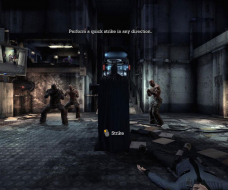
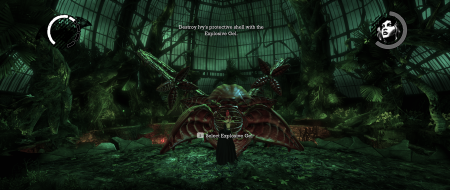
Action and "knockout" scenes are Vert-.

By "action scenes," you just mean non-interactive bits where you see 3D animation of Batman doing stuff like opening doors, right?

Anyway, grade is B+ - the vert - moments are the only graded blemish. Potentially certified if they fix this.

Author:  ViciousXUSMC [ 22 Oct 2009, 06:12 ]
Post subject:  Batman - Arkham Asylum: Detailed Report

Wonderful game I really enjoyed it. I think I noticed one other flaw not previously mentioned in TH resolutions other than the zoom during the opening menu's and the actions scenes and stuff. (fixed by cranky's little key binding)


When your scanning things especially forensic evidence its quite obvious the focus point is not the center of the screen, its up and too the left some.

I think this also applies for when your trying to scan stuff for the riddlers puzzles. Its not game breaking but did throw me off quite a bit the first few times when i couldnt can something right in my face and suddenly when I gave up and turned away I suddenly highlighted and target it when it was on the upper left side of my screen.

I suppose this could also be happening in a single screen normal res but I do not think so as I saw youtube videos where people were highlighting and scanning things properly in the middle of there screen.

Author:  belsambor [ 01 Nov 2009, 13:27 ]
Post subject:  Re: Batman - Arkham Asylum: Detailed Report

[quote]==Singleplayer anomalies==
Action and "knockout" scenes are Vert-. Paddy has a work around for these here:

http://www.widescreengamingforum.com/node/10920]

I have experienced one problem with Paddy's fix (thankyou btw Paddy, it makes the game much better), and I thought I would mention it in case anyone else has had the issue.

One of the riddles where you have to scan something that relies on the zoom function just would not scan for me with the fov = 130. The "Gotham’s greatest family towers over the city." one.

I just couldn't get it myself, just kept getting "subject too small". So I tried it from every place recommended in any guide I could find on the net. Still no luck.

Figured it might be the fov nerfing the zoom, and based off Paddy's original change, I added | fov 45 to the z key binding. Straight away I could zoom right in and scan the target fine.

Gives you a useable zoom function back as well, you just have to remember to hit space again as soon as you exit zoom. :)

Author:  ViciousXUSMC [ 02 Nov 2009, 08:34 ]
Post subject:  Re: Batman - Arkham Asylum: Detailed Report

[quote]==Singleplayer anomalies==
Action and "knockout" scenes are Vert-. Paddy has a work around for these here:

http://www.widescreengamingforum.com/node/10920]

I have experienced one problem with Paddy's fix (thankyou btw Paddy, it makes the game much better), and I thought I would mention it in case anyone else has had the issue.

One of the riddles where you have to scan something that relies on the zoom function just would not scan for me with the fov = 130. The "Gotham’s greatest family towers over the city." one.

I just couldn't get it myself, just kept getting "subject too small". So I tried it from every place recommended in any guide I could find on the net. Still no luck.

Figured it might be the fov nerfing the zoom, and based off Paddy's original change, I added | fov 45 to the z key binding. Straight away I could zoom right in and scan the target fine.

Gives you a useable zoom function back as well, you just have to remember to hit space again as soon as you exit zoom. :)


Ahh nice find, I could not scan a lot of stuff as well.

Page 1 of 1 All times are UTC [ DST ]
Powered by phpBB® Forum Software © phpBB Group
https://www.phpbb.com/