Thanks to BooTx and ERADEEJAY for figuring out how to change resolutions in the first place. This solution is based on theirs, but reduces zoom issues.
First, you need to figure out what your "corresponding 4:3 resolution" is. These are the options:
1024x768
1152x864
1280x1024
1600x1200
Compare your vertical resolution to the vertical resolutions of these four options. Whichever one is the closest is your "corresponding 4:3 resolution." The greater the difference in vertical resolution, the more "off" the zoom will be, which is why you want to pick the closest one.
You'll need a hex editor such as Be.HexEditor. Open your XWINGALLIANCE.EXE file (back it up if you wish). The line(s) to search for depend on your corresponding 4:3 resolution.
If it's 1024x768, search for 00 04 00 00 8A.
* 1280x720 - Replace 00 04 with 00 05.
* 1280x768 - Replace 00 04 with 00 05.
* 1280x800 - Replace 00 04 with 00 05.
Next, search for 00 03 00 00 A3.
* 1280x720 - Replace 00 03 with D0 02.
* 1280x768 - Do nothing.
* 1280x800 - Replace 00 03 with 20 03.
If it's 1152x864, search for 80 04 00 00 B9 60 03.
* 1440x900 - Replace 80 04 with A0 05 and replace 60 03 with 84 03.
If it's 1280x1024, search for 00 04 00 00 8A.
* 1680x1050 - Replace 00 04 with 1A 04.
* 1920x1080 - Replace 00 04 with 38 04.
Next, search for 00 05 00 00 89.
* 1680x1050 - Replace 00 05 with 90 06.
* 1920x1080 - Replace 00 05 with 80 07.
If it's 1600x1200, search for 40 06 00 00 B9 B0 04.
* 1920x1200 - Replace 40 06 with 80 07.
If your resolution was not one of the ones listed, brush up on little endian hexadecimal and it should be fairly straightforward to figure out what values to use. I've color coded the search strings - blue bytes are the default horizontal res values, and red bytes are the default vertical res values (yes, for 1280x1024, red comes first).
Now load the game, and change your resolution to the "corresponding 4:3 resolution."
If the game will not allow you to select it, then edit CONFIG.cfg. Find these lines:
screenres1 X
screenres2 X
Change the "X" to the corresponding number for the resolution:
2 - 1024x768
3 - 1152x864
4 - 1280x1024
5 - 1600x1200
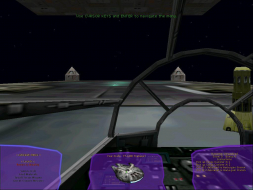
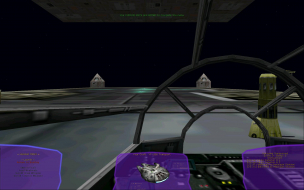
A whole buncha screenshots here.
|