| Widescreen Gaming Forum https://www.wsgf.org/phpBB3/ |
|
| The Sims 2 https://www.wsgf.org/phpBB3/viewtopic.php?f=61&t=16929 |
Page 1 of 2 |
| Author: | scavvenjahh [ 24 Jan 2009, 23:01 ] |
| Post subject: | The Sims 2 |
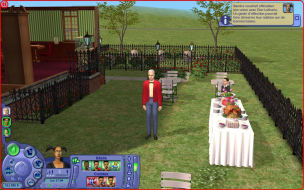
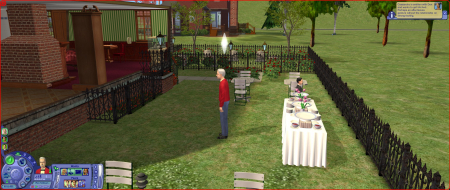
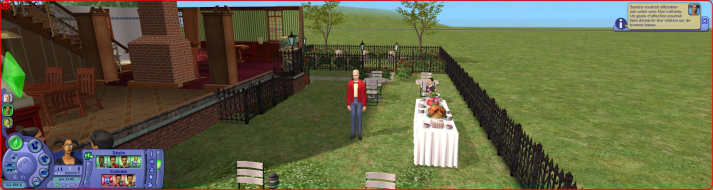
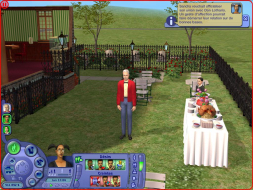
![]() Widescreen Grade: B Ultra-Widescreen Grade: Incomplete Multi-monitor Grade: B 4k Grade: Incomplete Read Full Detailed Report - The Sims 2 The successful social interactions simulator and virtual home creation tool suite comes back in full-3D graphics. Guide your Sims throughout their entire existence, or just buy them neat furniture and cool clothes and watch them indulge their needs, pursuit their desires and deal with the mundane or epic challenges of their everyday suburban life. ![]() 4:3 ![]() 16:10 ![]() 16:9 ![]() 21:9 ![]() 3x1 |
|
| Author: | The_cranky_hermit [ 24 Jan 2009, 23:33 ] |
| Post subject: | The Sims 2 |
Calculate grade: B Potential grade: B+ Minor outstanding DR omissions: Need cut-scene shots .ini solution is a blemish CCE: 99% |
|
| Author: | scavvenjahh [ 26 Jan 2009, 20:13 ] |
| Post subject: | The Sims 2 |
Cut scenes section updated. (For the record, I thought trying to have two Sims already crazy in love have sex was the easy way to trigger a cinematic cut scene, but I was so wrong :lol: They never did it. However watching the stars through a telescope in the UFO-infested skies of the desert was an instant win. No sex, but a cut scene at last. Yeah, you're that much more likely to get abducted by aliens than to lose your virginity in The Sims 2. Who'd have thought it ?) :? |
|
| Author: | skipclarke [ 27 Jan 2009, 01:30 ] |
| Post subject: | The Sims 2 |
This must have been updated somewhere along the way. I did a DR on the original US release, and it was Vert- |
|
| Author: | The_cranky_hermit [ 27 Jan 2009, 02:18 ] |
| Post subject: | The Sims 2 |
The search isn't showing any DR's for The Sims 2 except this one. Are you thinking of a different game? In any event, the solution here manually increases the FOV, which means that The Sims 2 is vert - by default. Our previous solution did not provide a way to increase the FOV, so if you did do a DR using the old solution, it would have been vert -. I've updated the solution thread. |
|
| Author: | skipclarke [ 27 Jan 2009, 07:31 ] |
| Post subject: | The Sims 2 |
I guess it was just the solution thread, long before DRs. |
|
| Author: | scavvenjahh [ 27 Jan 2009, 18:55 ] |
| Post subject: | The Sims 2 |
The method for adding resolutions greater than 1600x1200 was reported long ago, that may be what you refer to. The Hor+ solution however, though somewhat easy, is just tiresome secretary work, and I think I'm the first here to have ever bothered 8) |
|
| Author: | nicolisse [ 10 Jun 2012, 00:42 ] |
| Post subject: | In the solution section it |
In the solution section it states that you have a download and to choose from one of each, however I don't see a download anywhere on the page: http://www.wsgf.org/dr/sims-2 Or am I confused and not sure what else to do? I've changed the graphic rules but it still looks weird, as in the sims are super skinny and tall when they weren't before. Any help appreciated thanks! |
|
| Author: | LoloPinky [ 11 Jun 2012, 11:28 ] |
| Post subject: | Having the same problem as |
Having the same problem as nicolisse - I can't see the FOV download file anywhere. I'm trying to get my The Sims 2 to have a resolution of 2560x1440 but it's just not working. The highest it's going is 1900x1200. I've changed the graphics rules file in The Sims 2 directory, am I supposed to change it for the latest expansion pack as well? |
|
| Author: | nicolisse [ 12 Jun 2012, 10:30 ] |
| Post subject: | I think you need to do it for |
I think you need to do it for the lastest expansion pack which would be Apartment life but could also be Mansion and Garden if you have that. My resolution works but I've no idea why the sims look so off, I think that download is what fixes it? |
|
| Page 1 of 2 | All times are UTC [ DST ] |
| Powered by phpBB® Forum Software © phpBB Group https://www.phpbb.com/ |
|