Widescreen Gaming Forum
https://www.wsgf.org/phpBB3/

Turok
https://www.wsgf.org/phpBB3/viewtopic.php?f=61&t=15947
Page 1 of 2

Author:  Tanuki [ 28 Jun 2008, 03:54 ]
Post subject:  Turok


Widescreen Grade: B
Ultra-Widescreen Grade: Incomplete
Multi-monitor Grade: B
4k Grade: Incomplete

Read Full Detailed Report - Turok

This game is a FPS with a mix of stealth elements. And dinosaurs. Lots of dinosaurs. A whole lot. Certain events will trigger cinematic sequences that involve Turok executing his opponent in graphic fashion. Other events involve pressing button combinations to fight off an attack and survive. Crouch in the tall grass, break out the knife, and wait for the little dinos to wander by.
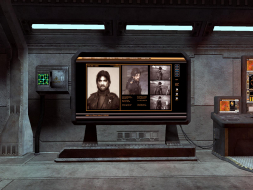

4:3
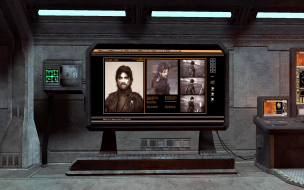

16:10
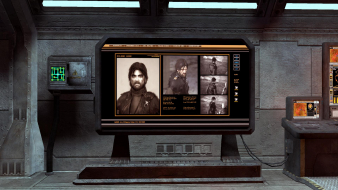

16:9


3x1


Author:  The_cranky_hermit [ 28 Jun 2008, 03:58 ]
Post subject:  Turok: Detailed Report

C+, 100%
Vert - gameplay is a consequential flaw

Author:  Tanuki [ 28 Jun 2008, 03:58 ]
Post subject:  Turok: Detailed Report

I tried changing the resolution to 1280x720 in the profile but it keeps getting overridden or ignored. Kind of confounding given the game's 360 roots.

Author:  scavvenjahh [ 01 May 2009, 18:28 ]
Post subject:  Turok: Detailed Report

I lack the time and patience to reinstall the game right now, but the method described by The_cranky_hermit for Brothers in Arms may work for Turok. The problem is I should've tried it before launching the game to be sure.

For those interested look into C:Program FilesTouchstoneTurokTurokGameConfig for the .ini files.
TurokGame.ini has the 'DesiredFOV=' bit.
It had no effect on my game anyway, even after deleting my profile folder (which is located in C:UsersBouhAppDataRoamingTouchstoneTurok in Vista).

== Surround Gaming Support ==

Native, Vert-. Additionnally the main menu is completely off-screen in TripleHead.
(I had to open C:Program FilesTouchstoneTurokTurokGameConfigTurokEngine.ini and edit
StartUpResolutionX=
StartUpResolutionY=
to reset my resolution to something more convenient.)

4:3


WTH

Author:  StingingVelvet [ 02 May 2009, 01:03 ]
Post subject:  Turok: Detailed Report

There is an FOV hack for the game through the console... would that work to achieve Hor+ in TH as well? It works in 16:10.

Problem is the distant LOD gets screwed up.

I have the game installed, let me know if you want me to test anything.

Author:  scavvenjahh [ 02 May 2009, 18:37 ]
Post subject:  Turok: Detailed Report

Thanks for the headsup ! It works indeed.

- Open C:Program Files (x86)TouchstoneTurokTurokGameConfigTurokInput.ini in any text editor.
- In [Engine.Console] replace TypeKey=None with TypeKey=Tab and save.
- In the game, press Tab to bring the console then simply enter fov x where x is your desired value (default is 90 I guess).

The setting won't stick very long, you'll have to re-enter it every once in a while (new map loaded, death...)
The menus and FMVs are still vastly offscreen in TripleHead, so if you wanna look into it Velvet, be my guest :lol:

5040x1050, fov 138 (random choice to quickly test this, there's probably a "better" value)

Author:  StingingVelvet [ 02 May 2009, 18:53 ]
Post subject:  Turok: Detailed Report

Well the guns have a "reload light" telling you you're low on ammo, and the radar arrow appears in the middle of the screen, so it should be completely playable in TH despite the lack of HUD.

Inputting the FOV is easy, it's the distant texture errors that annoy me when playing with a higher FOV. The game seems to judge when to display walls and such based on the FOV somehow, and when playing in 16:10 with an FOV of 85 I saw a lot of walls pop-in out of nowhere.

Still, one could say it's arguably better than the zoomed in view, and of course needed for TH.

Author:  MobsterOO7 [ 02 May 2009, 20:04 ]
Post subject:  Turok: Detailed Report


The setting won't stick very long, you'll have to re-enter it every once in a while (new map loaded, death...)


I got excited about Triplehead in this game when I saw the image, but then i read that. What happens if you make the edited file read only?

Author:  StingingVelvet [ 03 May 2009, 01:07 ]
Post subject:  Turok: Detailed Report

[quote]
The setting won't stick very long, you'll have to re-enter it every once in a while (new map loaded, death...)


I got excited about Triplehead in this game when I saw the image, but then i read that. What happens if you make the edited file read only?

It's not the edited file... that just allows console access and stays the same. You change the FOV via a console command, takes like 5 seconds.

Author:  MobsterOO7 [ 03 May 2009, 01:38 ]
Post subject:  Turok: Detailed Report

Oh, never mind then. :D

Page 1 of 2 All times are UTC [ DST ]
Powered by phpBB® Forum Software © phpBB Group
https://www.phpbb.com/