| Widescreen Gaming Forum https://www.wsgf.org/phpBB3/ |
|
| Dungeons & Dragons: Dragonshard https://www.wsgf.org/phpBB3/viewtopic.php?f=61&t=15278 |
Page 1 of 1 |
| Author: | Tanuki [ 13 Nov 2007, 05:30 ] |
| Post subject: | Dungeons & Dragons: Dragonshard |
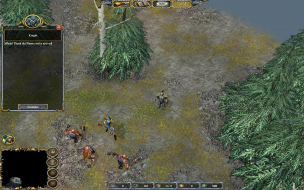
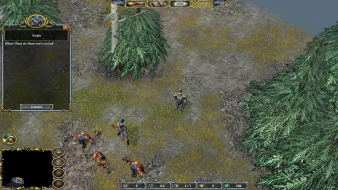
![]() Widescreen Grade: C Ultra-Widescreen Grade: Incomplete Multi-monitor Grade: Unsupported 4k Grade: Incomplete Read Full Detailed Report - Dungeons & Dragons: Dragonshard Developed by Liquid Entertainment, Dragonshard is an RTS set in the Dungeons & Dragons universe. Players can choose one of three factions and compete against the AI or online against other opponents. This game has campaigns and single-map skirmishes available. Players compete concurrently on dual maps consisting of the overworld Eberron and the underworld Khyber. The story for the campaigns was written by Keith Baker, creator of the Eberron universe. ![]() 4:3 ![]() 16:10 ![]() 16:9 ![]() 3x1 |
|
| Author: | The_cranky_hermit [ 13 Nov 2007, 06:06 ] |
| Post subject: | Dragonshard: Detailed Report |
==Grading== Calculated grade: D+ Major unresolved issues: None Minor unresolved issues: None Summary of widescreen-related flaws: Hack solution Vert - Stretched 2D screens Stretched HUD Vert - cut-scenes Cranky's coverage estimate: 100% |
|
| Author: | satom [ 25 Nov 2008, 19:19 ] |
| Post subject: | Dragonshard: Detailed Report |
Unfortunatly, for the European V1.24b this don't work. I still found the changing hex values, but if i change this to e.g. to 9006 and 1A04 for my 1680*1050 Display, the changed resolution disapears. Any Hints? Regards, Thomas |
|
| Author: | Tanuki [ 26 Nov 2008, 21:59 ] |
| Post subject: | Dragonshard: Detailed Report |
If you followed the readme you changed the 1024x768 value. Try seeing what you game res is displaying with(Take a screenshot). Also take a screenshot of the fmvs, they should be in your resolution now. Other than that, try changing all the bolded values. |
|
| Author: | Vornar [ 23 Jan 2009, 18:37 ] |
| Post subject: | Dragonshard: Detailed Report |
Welcome. I would also want to adjust the resolution for myself "1680 x 1050" or "1440 x 900" but I don't know how to do it. I apologise for it, that my English is so weak, but poorly of it I am able. Greeting |
|
| Page 1 of 1 | All times are UTC [ DST ] |
| Powered by phpBB® Forum Software © phpBB Group https://www.phpbb.com/ |
|