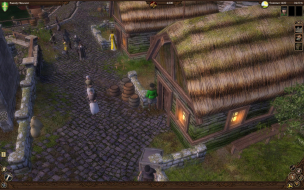
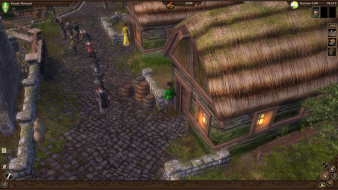
These are the ini files..
userconfig.ini...
[GFX]
BPP = 4.000000
BloomEffect = 1.000000
BoneLOD_0 = 500.000000
BoneLOD_1 = 2000.000000
BoneLOD_2 = 6000.000000
BoneLOD_3 = 8000.000000
Brightness = 1.000000
CharacterShadows = 0.000000
ClothFPS = 20.000000
Contrast = 1.000000
DefaultInitialized = 1.000000
FullScreen = 1.000000
MipMapLODBias = -0.500000
NearDetailRange = 6000.000000
NearWoodRange = 6000.000000
OceanShader = 1.000000
OceanWater = 1.000000
OutdoorLights = 50.000000
OverallQuality = 2.000000
RangeOfSight = 28000.000000
Resolution = 27.000000
ResourceUpdates = 0.000000
SaveMovie = 0.000000
ScreenHeight = 1200.000000
ScreenShotType = "BMP"
ScreenWidth = 1920.000000
ShowAnimals = 1.000000
ShowGrass = 1.000000
ShowShadows = 0.000000
SkipBuildingLOD = 1.000000
SkipMipLevel = 0.000000
VegetationRange = 0.500000
WaterReflection = 1.000000
[OPTIONS]
AlwaysRun = 1.000000
AutoSave = 1.000000
CameraObjectFade = 500.000000
CameraPath = 1.000000
City = ""
ContextMenu = 0.000000
DynastyTeam = 0.000000
GameSpeed = 0.000000
MapChooser_Map = 0.000000
MissionDifficulty = 2.000000
MissionSubType = 0.000000
MissionType = 0.000000
MouseHelp = 1.000000
MouseSpeed = 1.000000
OpponentDifficulty = 2.000000
PlayerCount = 6.000000
ScrollSpeed = 0.500000
TipsTricks = 1.000000
[SFX]
NoSound = 0.000000
athmo_music_volume = 0.350000
athmo_sfx_volume = 0.600000
master_volume = 1.000000
music_prob = 1.000000
speech_volume = 1.000000
[UserConfig]
CharFirstName = "R0o0b0e0r0t0"
CharLastName = "H0o0w0a0r0d0"
Skill_0 = 1.000000
Skill_1 = 1.000000
Skill_10 = 1.000000
Skill_2 = 1.000000
Skill_3 = 1.000000
Skill_4 = 1.000000
Skill_5 = 1.000000
Skill_6 = 1.000000
Skill_7 = 1.000000
Skill_8 = 1.000000
Skill_9 = 1.000000
m_AgeType = 2.000000
m_ArmorID = 0.000000
m_BeardColor = 0.000000
m_BeardID = 169.000000
m_Class = 1.000000
m_ClothColor = -1.000000
m_ClothID = 405.000000
m_Gender = 1.000000
m_HairColor = 0.000000
m_HairColorID = 0.000000
m_HairID = 95.000000
m_HatID = 62.000000
m_Profession = 0.000000
m_Rank = 2.000000
m_Religion = 0.000000
m_SkinID = 76.000000
m_Thickness = 0.574928
m_VoiceID = 1.000000
m_Zodiac = 0.000000
End of userconfig.ini
editor.ini...
[GFX]
ScreenWidth= 1280
ScreenHeight= 1024
Contrast = 1.0
Brightness = 1.0
BloomEffect = 0
RangeOfSight = 35000
//SkyTexture = "Skybox_night_01.dds"
//SkyTexture = "Skybox_night_02.dds"
//SkyTexture = "Skybox_day_03.dds"
//SkyTexture = "Skybox_day_05.dds"
//SkyTexture = "Skybox_day_08.dds"
//SkyTexture = "Skybox_day_03.dds"
//SkyTexture = "Skybox_day_06.dds"
//SkyTexture = "Skybox_day_08.dds"
SkyTexture = "Skybox_rain_01.dds"
ShowDecorators = 1
ShowAnimals = 0
ShowSeasons = 0
ShowShadows = 1
ShowGrass = 1
LODAdjust = 1.0
NearDetailRange = 10000
WaterReflection = 1
UpdateTerrainTextures = 1
[SFX]
NoSound = 1
master_volume=0.0
athmo_music_volume=0.1
athmo_sfx_volume=0.4
speech_volume=0.4
sound_3d_volume=1.0
gui_sfx_volume = 0
[GAME]
ResourceDirectory = "W:/TheGuild2Addon/"
// Path expanding the "ResourceDirectory" for the thumbnails in the resource view
ResourceThumbnailDirectory = "resource/maya/_database/"
// Path expanding the "ResourceDirectory" for the resource data directory
DataDirectory = "PC_Data/"
LocatorsVisible = 0
[GUI]
UseDebugInput = 1
// Help-system activated (0:no(default) 1:on)
UseHelp = 0
// measure requirement filters activated (0:no 1:on(default))
UseMeasureRequirements = 1
// show hud debug messages (0:no 1:on(default))
ShowDebugMessages = 0
End of editor.ini
config.ini....
[GFX]
ScreenWidth= 1024
ScreenHeight= 768
FullScreen = 1
Contrast = 1.0
Brightness = 1.0
BloomEffect = 0
RangeOfSight = 35000
SaveMovie = 0
ScreenShotType = "BMP"
// Distance of near ground texturing
NearDetailRange = 9000
// Range of the near tree rendering
NearWoodRange = 6000
// Bone LOD Distances
BoneLOD_0 = 500.0
BoneLOD_1 = 2000.0
BoneLOD_2 = 6000.0
BoneLOD_3 = 8000.0
// Render water reflection
WaterReflection = 1
// Frames per second in cloth calculation
ClothFPS = 20
// Skips the first n texture
SkipMipLevel = 0
// Probability for building outdoor lights to occur 0-100
OutdoorLights = 50
// Enable or disable character shadows
CharacterShadows = 0
// Skips the first n LOD for buildings
SkipBuildingLOD = 0
// Triggers n Resource Update Checks for each frame. Dev only
ResourceUpdates = 0
OverallQuality = 2
SkipBuildingLOD = 1
VegetationRange = 0.5f
MipMapLODBias = -0.5
OceanShader = 1
[GAME]
// Use the start menu (0:no 1:on (default) )
UseStartMenu = 1
// Use the character creation (0:no 1:on (default) )
UseCharacterCreation = 1
// Show the splash screen at programm startup (0:no 1:on (default) )
SplashScreen = 1
// Show Loading screen (0:no 1:on (default) )
LoadingScreen = 1
// enables measurement of rending performance - perfconfig.ini will be used instead of userconfig.ini -
// no gameplay will be possible
MeasureRendering = 0
// define the campaign for use at the start screens (menu/splash/charactercreation)
CharacterCreation = "_Startup"
// Language for localization
Language = "english"
// cart size at the beginning of the game (0:small(default) 1:middle 2:large)
CartSize = 1
// CameraIndoorSpeed : Set the movement speed of the indoor camera
// this switch is for indoor scroll-camera-mode only
CameraIndoorSpeed = 800
// CameraDefaultRotate : Set the default outdoor behavior of the camera
// 0 : rotate and act about the viewport (viewport-camera mode)
// 1 : rotate and act about the camera position (fixed-camera mode)
CameraDefaultRotate = 0
// CameraMinPitch / CameraMaxPitch : define the min and max pitch for the camera
// this switch is for fixed and viewport-camera mode
CameraMinPitch = 25
CameraMaxPitch = 65
// CameraMinHeight / CameraMaxHeight : define the min and max height for the camera
// this switch is for fixed and viewport-camera mode
CameraMinHeight = 800
CameraMaxHeight = 4500
// CameraStartHeight : define the start height for the camera
// this switch is for fixed and viewport-camera mode
CameraStartHeight = 2000
// CameraFixedMinDistance / CameraFixedMaxDistance: distance to viewport at minimal/maximal height
// this switch is for fixed-mode only
CameraFixedMinDistance = 500
CameraFixedMaxDistance = 2500
// CameraCurveFactor : modify the way the camera change the high between CameraMinHeight and CameraMaxHeight.
// A factor of 1 is a linear interpolation between the point, a value lower than 1 increases the curve
// this switch is for fixed-mode only
CameraCurveFactor = 0.25
// CameraFixedHeight : Enables or disable fixed camera height over the terrain
// this switch is for viewport-mode only
CameraFixedHeight = 0
// Offset (over ground) to which the camera looks
// this switch is for viewport-mode only
CameraViewHeight = 180
// CameraViewOffset : set's a distance offset to the viewport-object
// this switch is for viewport-mode only
CameraViewOffset = 100
CameraSteps = 12
CameraMinSpeed = 2
CameraMaxSpeed = 10
CameraMouseZoomY = 10
Campaign = "_Endless"
[OPTIONS]
// sets the playersim should always run (default 0: no(1: on))
AlwaysRun = 1
//sets the camera scrolling speed
ScrollSpeed = 0.5
//sets the game simulation speed
GameSpeed = 0.0
//sets the mouse movement speed
MouseSpeed = 1.0
//sets camera path length
CameraPath = 1.0
//enables mouse help
MouseHelp = 1
//enables tipps and tricks
TipsTricks = 1
//enables auto save
AutoSave = 0
// distance of objects near camera to begin fade out
CameraObjectFade = 500
MissionDifficulty = 2.000000
OpponentDifficulty = 2.000000
PlayerCount = 6.000000
[UserConfig]
m_Gender = 1.000000
[SFX]
NoSound = 0
master_volume=1.0
athmo_music_volume=0.35
athmo_sfx_volume=0.6
speech_volume=1.0
music_prob=1.0
[GUI]
// dialog speed in seconds per char (0.05 (default))
DialogSpeed = 0.05
// minimal dialog time, a dialog will at least display for this timespan
MinDialogTime = 2.0
// dialog speed modifier for interactions, will be multiplicated with the dialog speed and the min dialog time(4 (default))
InteractiveDialogSpeedModifier = 4
BorderScrolling = 1
ScrollSpeed = 0.5
// enables/disables dynamic measure group button behavior (0: disabled (default), 1: enabled)
DynamicMeasures = 0
[INIT-PLAYER-0]
HasResidence = 1
Workshops = 0
Money = 10000
Married = 0
[INIT-AI-0]
InitDelay = 0
WaitForPlayer = 1
HasResidence = 1
Workshops = 1
Money = 3000
Married = 0
[INIT-PLAYER-1]
HasResidence = 1
Workshops = 0
Money = 6000
Married = 0
[INIT-AI-1]
InitDelay = 0
WaitForPlayer = 1
HasResidence = 1
Workshops = 1
Money = 4000
Married = 0
[INIT-PLAYER-2]
HasResidence = 1
Workshops = 0
Money = 4000
Married = 0
[INIT-AI-2]
InitDelay = 0
HasResidence = 1
Workshops = 1
Money = 5000
Married = 0
[INIT-PLAYER-3]
HasResidence = 1
Workshops = 0
Money = 3000
Married = 0
[INIT-AI-3]
InitDelay = 0
HasResidence = 1
Workshops = 2
Money = 5000
Married = 1
[INIT-PLAYER-4]
HasResidence = 1
Workshops = 0
Money = 2500
Married = 0
[INIT-AI-4]
InitDelay = 0
HasResidence = 1
Workshops = 2
Money = 6000
Married = 1
Childs = 2
[ENDLESS]
World="addon.wld"
[NETWORK]
// ATTENTION: this settings are only valid, if you have selected "_Network" as campaign
World="addon.wld"
//Specifies whether the synclogger is used when playing a multiplayer game
UseSyncLogger = 1
//specifies whether sync errors are fatal
AsyncFatal = 1
NAT="85.214.65.50:15666"
End of config.ini
If anyone can get a console in game that may lead to Hor + as well. Thanks.
|