Widescreen Gaming Forum
https://www.wsgf.org/phpBB3/

Two Worlds
https://www.wsgf.org/phpBB3/viewtopic.php?f=61&t=15007
Page 1 of 1

Author:  Tanuki [ 10 Sep 2007, 19:18 ]
Post subject:  Two Worlds


Widescreen Grade: A
Ultra-Widescreen Grade: A
Multi-monitor Grade: C
4k Grade: Incomplete

Read Full Detailed Report - Two Worlds

The world changed when Aziraal, the god of war, was slain in the huge battle long ago. The hordes of Orcs lost their divine leader and were forced to withdraw to the southern wastelands. Now, thousands of years later, the location of Aziraal's tomb is still unknown, well hidden by other gods who did not dare to entrust the secret to mere mortals. However, now, a fragile peace between the civilized races and the hordes is at stake. When the dwarven mining expedition discovered an ancient temple dedicated to an unnamed deity, a silent war begun, and it will soon ignite the fires that will lead to the holy crusade of the Orcs. However, the real danger lies somewhere else. A powerful force churns silently - weaving a secret plot of fear and destruction. In the end one of the Two Worlds will remain.


4:3
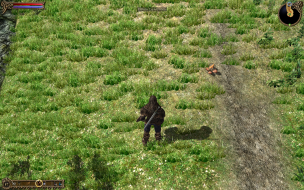

16:10
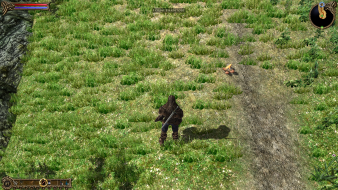

16:9
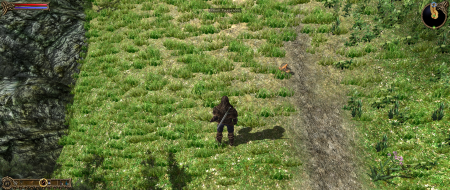

21:9


3x1


Author:  The_cranky_hermit [ 10 Sep 2007, 22:34 ]
Post subject:  Two Worlds: Detailed Report


Author:  Tanuki [ 11 Sep 2007, 03:02 ]
Post subject:  Two Worlds: Detailed Report

Oooh! Special. :)

Author:  Tanuki [ 14 Oct 2007, 06:51 ]
Post subject:  Two Worlds: Detailed Report

The game information would be easier to write if I actually took the time to play this some more.


Updated for issues.

Author:  BlueMak [ 22 Mar 2008, 07:53 ]
Post subject:  Two Worlds: Detailed Report

I am almost 30 hours in, great game, but regarding widescreen resolutions, only two are available to me, 1920x1200 (monitor native) and 1680x1050. Any hints how to go even lower?

Author:  boxrick [ 24 Jan 2011, 05:38 ]
Post subject:  Two Worlds 2

Currently Working on a detailed report but this is a post of how to manually adjust the resolution if not selectable within game options.

To set a custom resolution within two worlds 2 use the following:

Within "run" or simply within search box of windows Vista and 7 type "regedit"

Go to the following

HKEY_CURRENT_USERSoftwareReality PumpTwoWorlds2Graphics


Within there is a selectable width and height along with fullscreen or not.

Should be a handy for a few people for the moment, currently working on the full detailed report!

Author:  fuzioninfinity [ 25 Jan 2011, 13:29 ]
Post subject:  Re: Two Worlds 2

I was thinking about doing one once I finished the game, but I guess I'll leave it up to you then! :rockout

Author:  Garrett [ 24 Feb 2016, 11:03 ]
Post subject:  Re: Two Worlds

I have updated the report with ultra-widescreen and multi-monitor details.

Multi-monitor aspect ratios have issues with distant land on the sides of the resolution (the example screenshots show this flaw to the left but it applies to both sides depending on the surrounding terrain).

Page 1 of 1 All times are UTC [ DST ]
Powered by phpBB® Forum Software © phpBB Group
https://www.phpbb.com/