| Widescreen Gaming Forum https://www.wsgf.org/phpBB3/ |
|
| Lost Planet: Extreme Condition https://www.wsgf.org/phpBB3/viewtopic.php?f=61&t=14867 |
Page 1 of 3 |
| Author: | Black.Arrow [ 09 Aug 2007, 19:06 ] |
| Post subject: | Lost Planet: Extreme Condition |
![]() Widescreen Grade: Incomplete Ultra-Widescreen Grade: Incomplete Multi-monitor Grade: Incomplete 4k Grade: Incomplete Read Full Detailed Report - Lost Planet: Extreme Condition Rescued from a veil of ice with only fragments of memory, Wayne Holden struggles to recover his past on a blizzard-ridden world swarming with deadly aliens. With only treacherous Snow Pirates and the mysterious NEVEC Corporation remaining, can anyone be trusted or is everything lost? ![]() 4:3 ![]() 16:10 ![]() 16:9 ![]() 21:9 ![]() 3x1 |
|
| Author: | The_cranky_hermit [ 09 Aug 2007, 19:40 ] |
| Post subject: | Lost Planet - Extreme Condition (Retail): Detailed Report |
==Method== Of the resolutions that you tested, which ones were supported natively, and which ones required the .ini hack? ==Supported resolutions== Your 16:10 screenshots are 1680x1050, but you didn't list them in the list of successfully tested resolutions. == Grading == * waiting for your response * |
|
| Author: | Black.Arrow [ 09 Aug 2007, 20:27 ] |
| Post subject: | Lost Planet - Extreme Condition (Retail): Detailed Report |
the 16:10 (only 1680x1050) resolution needed an .ini hack for me, but I guess its because my screen doesn't natively use that resolution. The rest is available in the options menu. 1680x950 was a typo, sorry - it should have been 1680x1050. corrected. |
|
| Author: | The_cranky_hermit [ 09 Aug 2007, 20:57 ] |
| Post subject: | Lost Planet - Extreme Condition (Retail): Detailed Report |
the 16:10 (only 1680x1050) resolution needed an .ini hack for me, but I guess its because my screen doesn't natively use that resolution. That doesn't make any sense. If your screen doesn't support it, it shouldn't work in a game no matter what kind of game-specific hack you use. Let me ask you another question: Can you set your desktop resolution to 1680x1050? Also, what is your native res? |
|
| Author: | Black.Arrow [ 09 Aug 2007, 21:53 ] |
| Post subject: | Lost Planet - Extreme Condition (Retail): Detailed Report |
My native resolution is 1920x1080. What I meant was, that 1680x1050 isn't usually in my resolution settings, I can however put it in through custom resolutions in XP. But since I didn't do that yet, I just forced that resolution through the .ini Since I'm using a HDTV, some games don't recognize all available resolutions. Neverwinter Nights 2, for example only gives me 800x600, 960x600 and 1280x720 in the options menu. When I manually type 1920x1080 in the .ini its no problem. |
|
| Author: | The_cranky_hermit [ 09 Aug 2007, 22:03 ] |
| Post subject: | Lost Planet - Extreme Condition (Retail): Detailed Report |
But since I didn't do that yet, I just forced that resolution through the .ini Something's not adding up. If 1680x1050 is not one of the resolutions available to you in Windows, then it shouldn't work in any game either. Games don't switch your screen's resolution - Windows does. Games just tell Windows what resolution to switch to, and if Windows doesn't know how, it's not going to work in the game. Can you double-check your desktop resolution slider, to see if 1680x1050 is there or not? Also, when you tested 1680x1050 in the game, was it by any chance in windowed mode? Neverwinter Nights 2, for example only gives me 640x480, 800x600, 1024x768 in the options menu. This also confuses me. Neverwinter Nights 2 should support widescreen resolutions natively. The game doesn't care what your display is - it gets the list of available resolutions from Windows. |
|
| Author: | Black.Arrow [ 10 Aug 2007, 04:00 ] |
| Post subject: | Lost Planet - Extreme Condition (Retail): Detailed Report |
I guess I shouldn't blame you for not believing me like that. So to back up my words... http://home.arcor.de/shizuku/WSGF/windows.jpg http://home.arcor.de/shizuku/WSGF/nwn2.jpg Don't ask me "why" its this way, nVidias HD support is still pretty screwed. So I always have to rely on manually editing resolutions. |
|
| Author: | The_cranky_hermit [ 10 Aug 2007, 04:33 ] |
| Post subject: | Lost Planet - Extreme Condition (Retail): Detailed Report |
I didn't say I don't believe you. I'm just saying that there's some piece of information that's missing. I don't know what it is, and I'm not accusing you of withholding information or lying. I'm just asking a lot of questions in case it helps us figure out why this is happening. The detailed report system is supposed to take into account every widescreen setup that is feasible to take into account, and your situation is one that seems to contradict certain "known knowns" that have been established through months of testing and detailed report-writing. If you don't mind bearing with me, would you tell me what kind of TV you have (brand and model number), and what sort of cable your PC is connected to it with? In the meantime, the grading: == Grading == Calculated grade: C+ Potential grade: Certified Major unresolved issues: Is 1280x768 supported? Minor unresolved issues: Is 1680x1050 supported natively (on a setup that conforms to widescreen gaming logic as we understand it)? Are 1280x800, 1440x900, and 1920x1200 supported? Cranky's coverage estimate: 77.5% |
|
| Author: | Black.Arrow [ 10 Aug 2007, 19:12 ] |
| Post subject: | Lost Planet - Extreme Condition (Retail): Detailed Report |
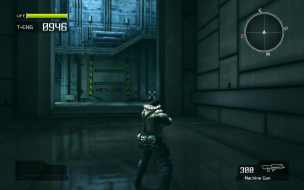
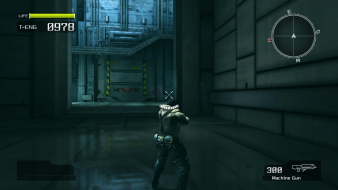
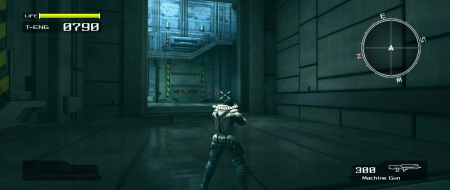
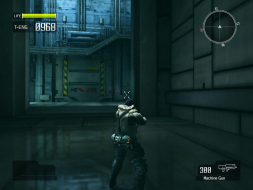
Sure, its a "Toshiba 32 WL 66 Z" connected trough HDMI-DVI cable. Its marked as "HD-Ready" so that would be native 720p, which looks wolly. So I'm using 1080i all the time. I would say its because of the graphics drivers, because changing the drivers also changed how it behaved, I think. There was a time, about 4 months ago, where I had to manually set resolutions to 1840x1028 to get an uncut picture. Moreover there are differences between XP and Vista. XP: 16:10 not natively available, so forced through custom resolution and all resolutions up to 1920x1080 selectable in games. Vista: 16:10 natively available, but no custom resolutions. Not all resolutions selectable in some games. (Rainbow Six - Vegas for example lets me set 1920x1080 in the options menu) I have also a lot of problems with HD Scaling in XP: Sometimes after closing a game the whole picture gets cut again. That also happens whenever I turn off/on the TV. (only restarting the pc fixes that) EDIT: - I tried everything in Vista this time. And 1680x1050/1280x800/1280x768 is available in the options menu. http://home.arcor.de/shizuku/WSGF/Lost%20Planet/1280x768.jpg http://home.arcor.de/shizuku/WSGF/Lost%20Planet/1280x800.jpg http://home.arcor.de/shizuku/WSGF/Lost%20Planet/1680x1050.jpg I've updated the screens and the report. |
|
| Author: | Tanuki [ 10 Aug 2007, 22:04 ] |
| Post subject: | Lost Planet - Extreme Condition (Retail): Detailed Report |
Do we need info about the Steam version? |
|
| Page 1 of 3 | All times are UTC [ DST ] |
| Powered by phpBB® Forum Software © phpBB Group https://www.phpbb.com/ |
|