Widescreen Gaming Forum
https://www.wsgf.org/phpBB3/

PlanetSide
https://www.wsgf.org/phpBB3/viewtopic.php?f=61&t=14487
Page 1 of 1

Author:  Cynagen [ 09 Apr 2007, 22:22 ]
Post subject:  PlanetSide


Widescreen Grade: A
Ultra-Widescreen Grade: Incomplete
Multi-monitor Grade: Unsupported
4k Grade: Incomplete

Read Full Detailed Report - PlanetSide

Synopsis: Scientists have located a wormhole that leads to another galaxy and almost directly to an inhabitable planet. A couple of teams of scientists and platoons of soldiers are sent through to study and bring back technology to Earth to help the quality of life and prevent it's demise. The wormhole closed up shortly after arriving, causing different ideals to form into factions on the new planet Auraxis.


4:3
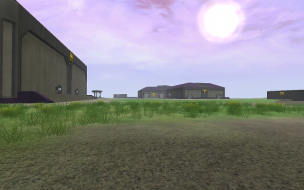

16:10
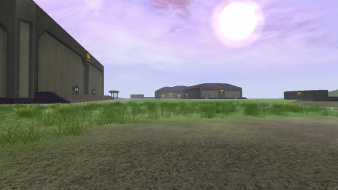

16:9


3x1


Author:  The_cranky_hermit [ 09 Apr 2007, 23:13 ]
Post subject:  Planetside: Detailed report

==Supported resolutions==

Two resolutions are missing: 1280x720 and 1440x900. I assume you tested 1280x720 (one of your screenshots is labeled 1280x720), so add it to your list of tested resolutions. Were you unable to test 1440x900?


==HUD stretch==

FYI, we have some screenshots on the site that show how the HUD behaves. I recommend borrowing them if you can't get any HUD shots of your own:
http://www.widescreengamingforum.com/node/


==Grading==

Calculated grade: B+
Potential grade: Certified

Major unresolved issues:
Is 1440x900 supported?

Minor unresolved issues:
None

Cranky's coverage estimate: 89.5%

Author:  Jbbrack03 [ 01 Jul 2012, 22:16 ]
Post subject:  This game does support

This game does support Multi-Monitor and eyefinity gaming. You have to go in and edit the machine.ini file. Just do a windows search for machine.ini and open the text file. I was able to get mine to do 5760x1080 which for me doesn't do bezel adjustment, but does properly stretch across all three screens. I'd need to do 6440x1080 to get bezel adjustment and the game force closes whenever I try that resolution. An important note is that even after editing the machine.ini you don't get widescreen support in the main menu. You have to actually launch the map and then it will change to multimonitor. You can adjust the HUD a little bit. You can move the chat window wherever you want and you can move the main action bar vertically to wherever you want. The HUD is broken however... The main Actionbar elements are covered by the bezels and this is a bit of a buzzkill. If someone can figure out how to move the Actionbar horizontally to either the left or right, this game will work perfectly on eyefinity.

Author:  Skid [ 01 Jul 2012, 22:26 ]
Post subject:  You should have the ability

You should have the ability to update the DR yourself now, just follow the link to the DR page and edit it, as for a fix, with Planetside 2 going into beta soon and this game being over 5 years old I wouldn't expect someone to fix it.

Page 1 of 1 All times are UTC [ DST ]
Powered by phpBB® Forum Software © phpBB Group
https://www.phpbb.com/