| Widescreen Gaming Forum https://www.wsgf.org/phpBB3/ |
|
| Hegemonia: Legions of Iron https://www.wsgf.org/phpBB3/viewtopic.php?f=61&t=13961 |
Page 1 of 2 |
| Author: | wazzay2k1 [ 21 Dec 2005, 01:28 ] |
| Post subject: | Hegemonia: Legions of Iron |
![]() Widescreen Grade: Unsupported Ultra-Widescreen Grade: Incomplete Multi-monitor Grade: Unsupported 4k Grade: Incomplete Read Full Detailed Report - Hegemonia: Legions of Iron 3D real-time strategy game made by Digital Reality and is similar in many respects to Homeworld and Digital Reality's previous game, Imperium Galactica II. The game series uses many concepts originating from the Master of Orion series. ![]() 4:3 ![]() 16:10 ![]() 16:9 ![]() 3x1 |
|
| Author: | Paradigm Shifter [ 24 Dec 2005, 13:04 ] |
| Post subject: | Solution: Haegemonia |
I loaded this up not long after I first got a widescreen laptop - I seem to remember that I had some success with the registry...? |
|
| Author: | wazzay2k1 [ 24 Dec 2005, 17:21 ] |
| Post subject: | Solution: Haegemonia |
I loaded this up not long after I first got a widescreen laptop - I seem to remember that I had some success with the registry...? Ok, you remember what you did? Just change the size and start the game? |
|
| Author: | Paradigm Shifter [ 24 Dec 2005, 17:33 ] |
| Post subject: | Solution: Haegemonia |
No, I can't remember what I changed - I think it was just height and width in the registry, and then it worked. The real pain, though, is that I can't find the &^%$ disc, either! :evil: I went hunting when I replied, thinking that it'd be a quick matter of a reinstall and check. No chance - I can't even find the frickin' thing! Where's it got to? *sigh* I'll see if I can find it after Christmas. It's a bit on the busy side round here at the moment... |
|
| Author: | wazzay2k1 [ 24 Dec 2005, 17:41 ] |
| Post subject: | Solution: Haegemonia |
Have you formatted since? If not, it will still be in your Reg files (unless you have deleted them too) |
|
| Author: | Paradigm Shifter [ 24 Dec 2005, 17:54 ] |
| Post subject: | Solution: Haegemonia |
Heh. Good thinking... unfortunately, I've done one better than a reinstall - I've replaced the hard drive since then... ;) |
|
| Author: | DrifterX [ 06 Dec 2006, 21:30 ] |
| Post subject: | Solution: Haegemonia |
I took this game out recently as i have never finished the game before when i had a regular CRT, now that i had a widescreen I thought this game would look even more sweet than before (and it does :D) . Now this is an old game so I knew it wouldnt have widescreen support but I found a way to get it widescreen through the registry. I came here before figuring it out to look for a solution but didn't find one so I will post one for everyone. Go into the registry editor Go to: HKEY_LOCAL_MACHINE/SOFTWARE/Digital Reality/Haegemonia To input a resolution for example 1680x1050: ResolutionX = 1680 ResolutionY = 1050 I have noticed that if I go into the options/load menu within the game, these registry values reset to 800x600. Now this means you will have to change these values before playing the game everytime IF you went into the options/load menu previously playing the game. I know this isnt a FULL solution but atleast you have widescreen :D |
|
| Author: | The_cranky_hermit [ 26 Jan 2007, 01:34 ] |
| Post subject: | Hegemonia: 4:3 and 16:10 |
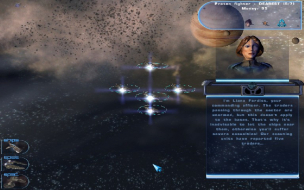
1024x768
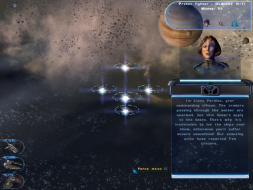
1280x800 Everything's stretched. |
|
| Author: | Marikhen [ 02 Feb 2012, 02:22 ] |
| Post subject: | Windows 7 Update |
For those who might find this while trying to get Hegemonia to run full screen under Windows 7 the appropriate registry entires are slightly moved. The correct path is: HKEY_LOCAL_MACHINESOFTWAREWow6432NodeDigital RealityHaegemonia Windows 7 has much in common with Vista, including many registry entry locations, so this may pertain to Windows Vista users as well. |
|
| Page 1 of 2 | All times are UTC [ DST ] |
| Powered by phpBB® Forum Software © phpBB Group https://www.phpbb.com/ |
|