


Welcome to my first blog entry.
I'm aiming to put together a complete howto for a way to play games in split screen on pc. This play mode is usualy missing in PC games however its present im most of console games.. And I don't understand why? PC's are superior to consoles in terms of amount of controllers you can use (Xbox's PS3 or even Wii controllers can be used with PC) and posibility of using multiple displays is just shouting for SS on PC.
So! The first game I put on the table is: Left 4 Dead. Its propably the game which is forced to run in Split-Screen (SS) most often. I know that there are many guides already but I'd like to go a little bit further and put together a way to SS, how to config your controller and also how to run SS in multi monitor setup.
So here we go:
I. How to run the game in SS
II. Usefull console commands
III. Running multiplayer split-screen game. (2PCs, 4Players)
IV. Controller configuration
V. Multi monitor setup
VI. Results and summary
I. How to run the game in SS
Forcig L4D to run in SS is relatively easy. Couple of console commands and an easy ini edit.
First thing you need to do is to bring down the console - press'~'. (If your console is disabled run the game with the parameter -console or turn it on in Mice/Keyboard option in the game.)
Console: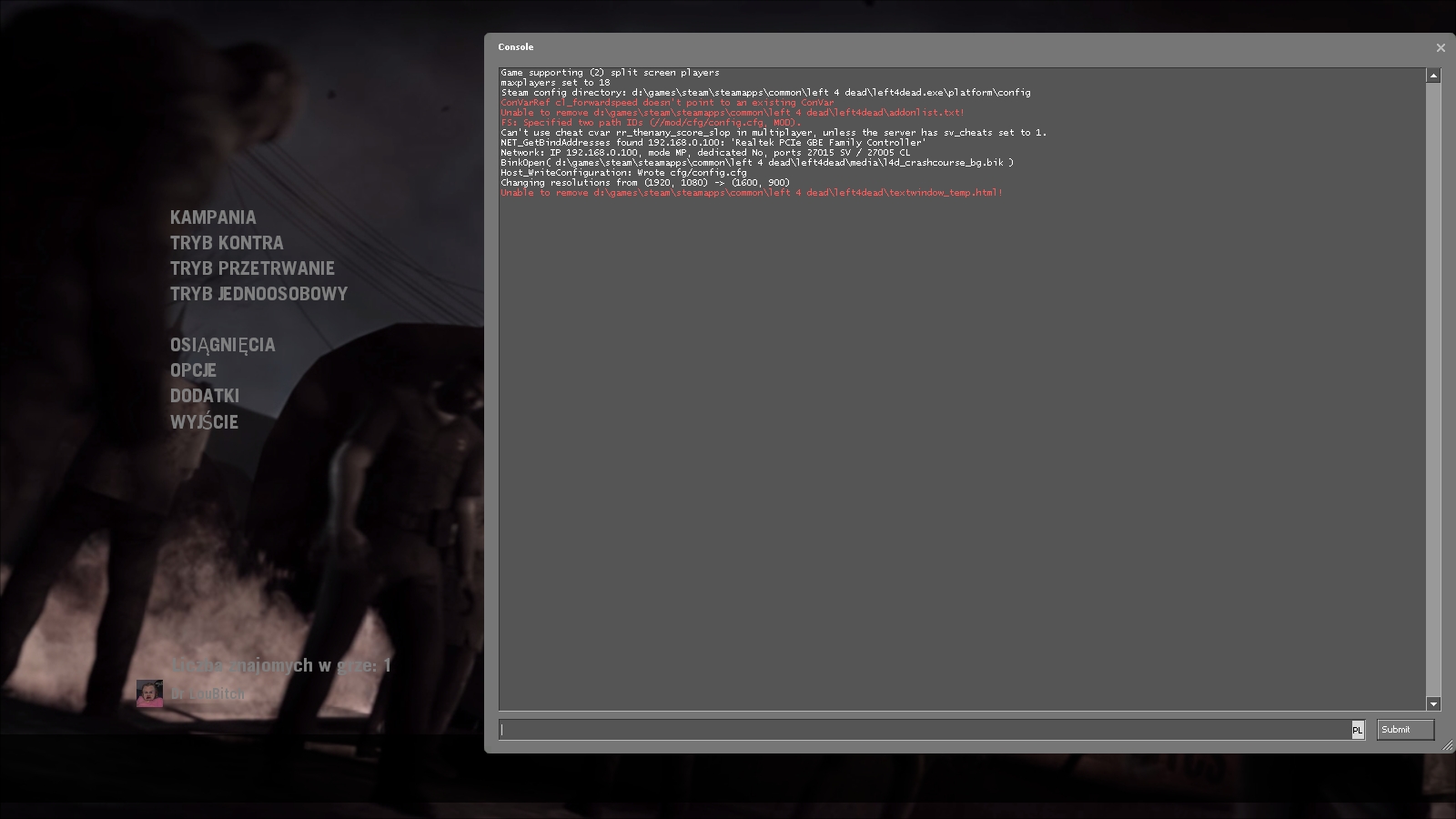
now enter:
ss_enable 1

exec 360controller

cmd2 +jlook
for vertical cut enter:
ss_splitmode 0
for horisontal:
ss_splitmode 1
To start the game type:
ss_map mapname
replace the map list with the name of the file of the map you are willing to play.
Here is the complete map list:
Dead Air
l4d_airport01_greenhouse

l4d_airport02_offices

l4d_airport03_garage

l4d_airport04_terminal

l4d_airport05_runway
maps for versus mode:
l4d_vs_airport01_greenhouse

l4d_vs_airport02_offices

l4d_vs_airport03_garage

l4d_vs_airport04_terminal

l4d_vs_airport05_runway
Blood Harvest
l4d_farm01_hilltop

l4d_farm02_traintunnel

l4d_farm03_bridge

l4d_farm04_barn

l4d_farm05_cornfield
maps for versus mode:
l4d_vs_farm01_hilltop

l4d_vs_farm02_traintunnel

l4d_vs_farm03_bridge

l4d_vs_farm04_barn

l4d_vs_farm05_cornfield
Crash Course
l4d_garage01_alleys

l4d_garage02_lots
No Mercy
l4d_hospital01_apartment

l4d_hospital02_subway

l4d_hospital03_sewers

l4d_hospital04_interior

l4d_hospital05_rooftop
maps for versus mode:
l4d_vs_hospital01_apartment

l4d_vs_hospital02_subway

l4d_vs_hospital03_sewers

l4d_vs_hospital04_interior

l4d_vs_hospital05_rooftop
Death Toll
l4d_smalltown01_caves

l4d_smalltown02_drainage

l4d_smalltown03_ranchhouse

l4d_smalltown04_mainstreet

l4d_smalltown05_houseboat
maps for versus mode:
l4d_vs_smalltown01_caves

l4d_vs_smalltown02_drainage

l4d_vs_smalltown03_ranchhouse

l4d_vs_smalltown04_mainstreet

l4d_vs_smalltown05_houseboat
The Sacrifice
l4d_river01_docks

l4d_river02_barge

l4d_river03_port
The Last Stand
l4d_sv_lighthouse
Your game should start in split screen mode.
Result either:
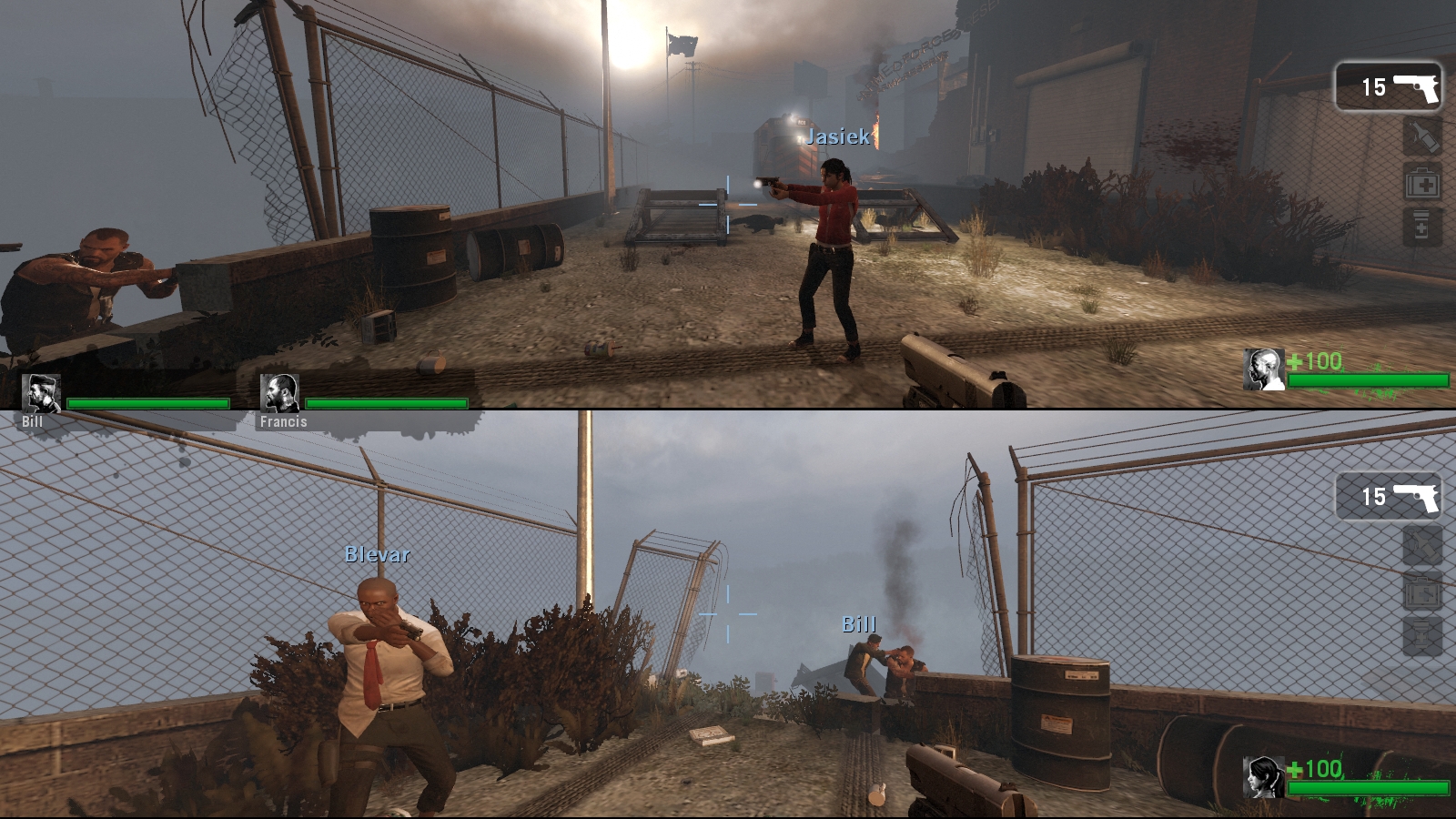 or
or 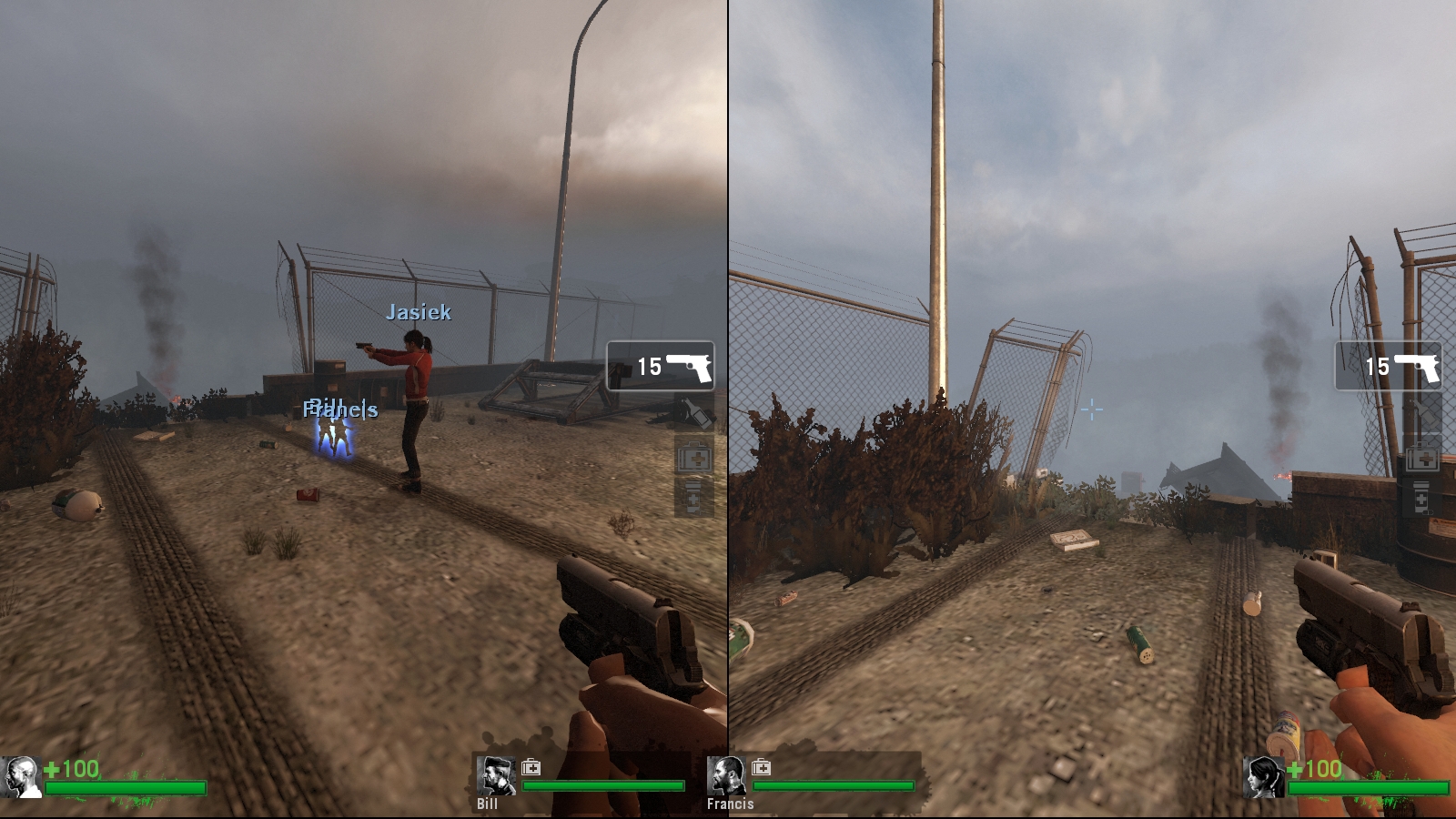
II. Usefull console commands
Just starting the game is actually nothing hard. Its adjusting the game to your liking thats time consuming :)
Player1 name is set by steam itself but to change Player2's name type:name2 xxx
replace xxx witih the name you desire
to adjust the game difficulty enter to console:
z_difficulty xxx
replace xxx with:Easy
Nornal
Hard
Impossible
changing game mode:
mp_gamemode xxx
replace xxx with:coop
survival
versus
to change level without kicking players:
changelevel xxx
replace xxx with desired map name
III. Running multiplayer split-screen game. (2PCs, 4Players)
Now here are two possibilities. You can either host a game or join one.
If you are a host:
Start a map in SS mode and enter this commands into a console:
sv_lan 0

sv_allow_lobby_connect_only 0
If you are a client:
connect xxx
replace xxx with the ip of the host you want to connect to
to add a SS partner type:ss_connect
or you can also try:connect_splitscreen xxx
replace xxx with the ip of the host you want to connect to
if second player wont join any team automaticaly try one of these commands:
cmd2 jointeam 1

cmd2 jointeam 2

cmd2 jointeam 3
I'd like to add that Valve actually allows people to play in split screen on any server. VAC wont ban you (however if it does I'm not taking the responsibility ^^) and since cheats arent being used... You can actually get achievments (Player 1 only).
IV. Controller configuration
In this segment if you are a proud owner of Microsofts Xbox Controllers you are in luck.
L4D should be already configured to work with these controllers. However if you got only one Xbox Controller there might be a problem - the game will force this pad to control Player1 movements only. What you will need to do is to fool Windows to think that it has two controllers pluged in so that Player1 will use keyboard and mouse and Player2 the controller. To do so unplug and plug it in when the map is loading. It usually takes couple of tries but once you set the pad to mode 2 (the green light on controller should be lit near nr 2). This should work both with wired and wireless controller.
If you dont have Xbox controller there is some more work to do.
Mainly you will need to use Xbox controller emulator availible HERE
Unpack the file you downloaded anywhere you want.
Now for the hard part... Configuring your controller to work with the emu.
edit 'x360ce.ini'
If you have two controllers just copy paste everything starting from [PAD1] (including) underneath and rename it to [PAD2], also (in [PAD2] section only) change Index=0 to Index=1
If you want to use a controller only for Player2 simply rename [PAD1] to [PAD2].
Save and check you key bindings with XinputTest.exe

If you are not satisfied with your binds you will have to edit 'x360ce.ini' - Unfortunatelly due to hudge amount of controllers on the market I can't help you here.
Once you are finished copy 'x360ce.ini' and 'xinput1_3.dll' to your 'steamapps\common\left 4 dead' directory
Rename the 'xinput1_3.dll' in 'steamapps\common\left 4 dead\bin' to 'xinput1_3.dllold'
Run the game.
note: If 2nd controller free look doesnt work use type in console: cmd2 +jlook
V. Multi monitor setup
Now this is the place where L4D spreads its wings!
This game Looks just insanely good in Eyefinity.
The problem is that even thou L4D in singleplayer works gr8 in EF:

After you add a SS partner the game will loke like this:

or this:

To make the game look normal all you need to do is edit one TXT file!
go to: "Steam\steamapps\common\left 4 dead\left4dead"
and edit: 'splitscreen_config.txt'
Now under "widescreen_horizontal_split" edit
"aspect" "32 by 9"
to
"aspect" "32 by 3"
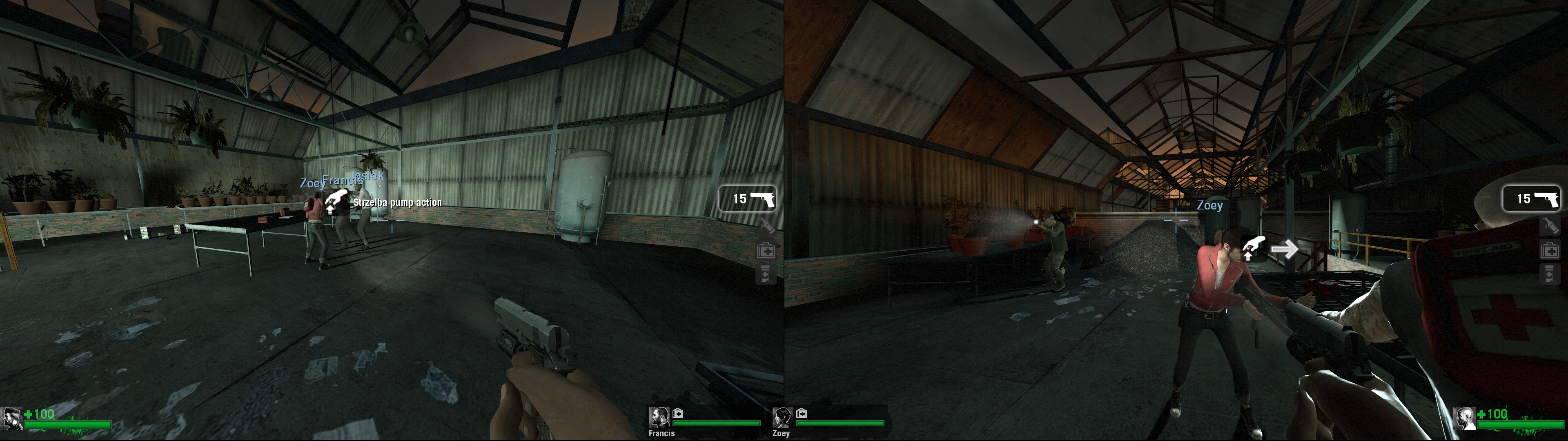
In tripple monitor setup this should give you full use of your displays. The result should look like:

And under "widescreen_vertical_split" edit:
"aspect" "8 by 9"
to
"aspect" "16 by 9"
This should be usable in two monitor setups - each player should get his own seprate display. Trying to play on three monitors with vertical split isnt really enjoyable - bezezls spoil the fun.
Result:
VI. Results and summary
Results... Hmm as you can see this game is 100% viable to play in split screen on PC. Once you configure your game you can play whenever you want without hudge effort. Game looks grate in SS and playing like this for more than a year I hanvt found any graphical glitches (well maybe in horisontal split the icons apearing ovetr guns etc are too big in Eyefinity). And since this game is ment to be played in CO-OP split screen is very much enjoyable. To be honest I dont understand one thing... Since Valve allows people to play this game in multiplayer why didnt they just give the possibility to play in SS natively?! I mean to force L4D to run in split screen you DONT NEED TO EDIT ANY SINGLE INI FILE!
I just love this game. In my opinion everyone should try to play it in coop - even in split screen.
I hope that I've suceeded in putting every single information needed to run L4D in SSmode - If I have forgot about anything please let me know and I'll do my best to update this blog.
I cant belive how late it has become... Time to bed!
Oh and ofc: Me englis not so gut, no, yes! Grammar and spelling checks most welcome ^^


